Apply Convenience Fee
Last Modified on 07/14/2026 10:21 am PDT
The Convenience Fee feature allows businesses to add an optional fee to manual payments. This can help cover processing costs for payments made in person or over the phone. Convenience fees are set up at the Account Class level, so you can apply different rules for different types of accounts.
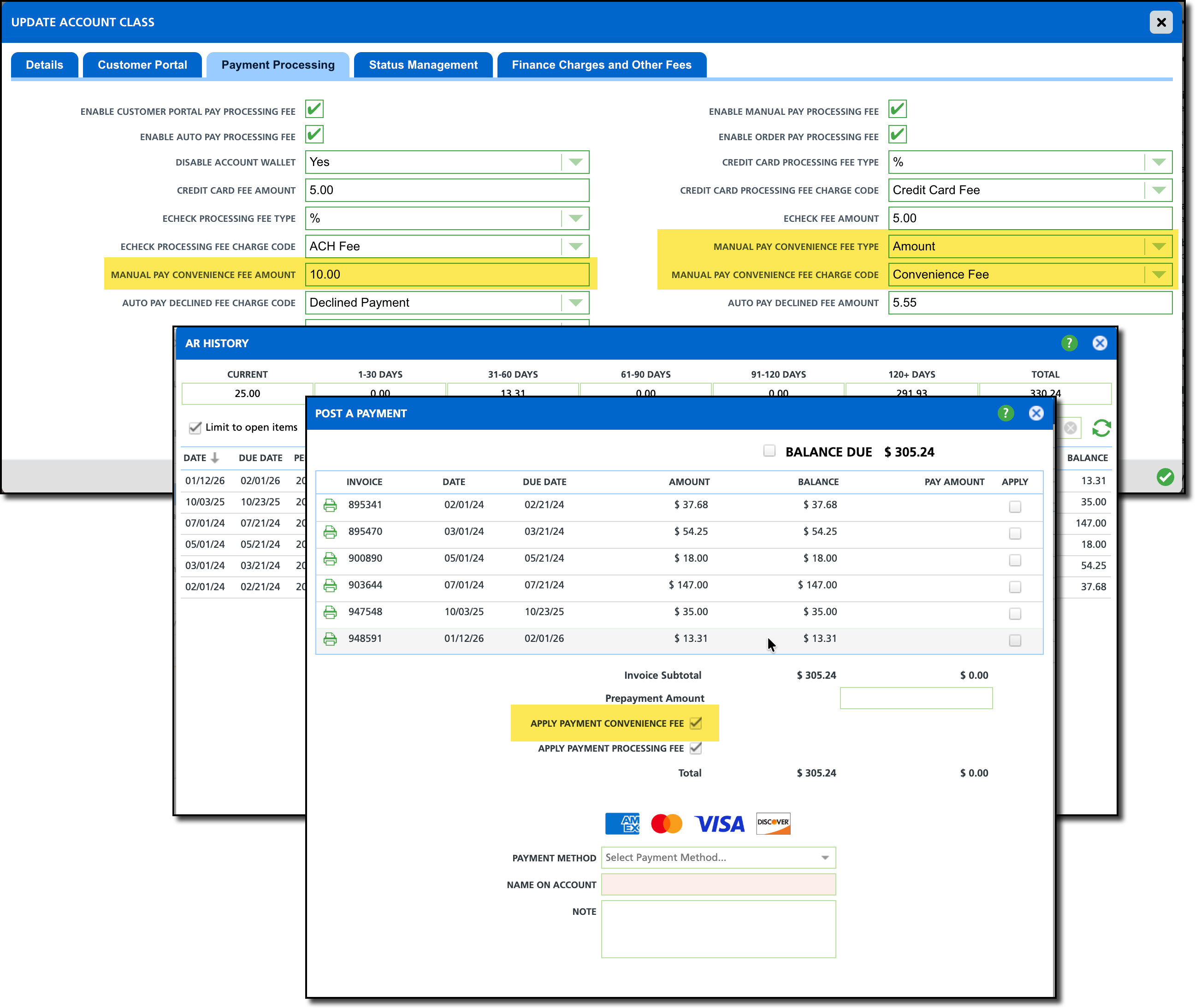
Permissions
The following permissions should be reviewed to set up and apply Convenience Fees:
| Permission ID | Permission Name | Description |
| 23 | Setup \ Account | Required to access the account class for setup. |
| 425 | Allow Excluding Processing Fee / Convenience Fee on Manual Payments | Allows the user who is processing the payment to remove the processing fee or convenience fee from the payment. |
Prerequisites
Convenience Fee Setup
Open the Account Class the convenience fee applies to and navigate to the Payment Processing tab. In there, review the following settings to match your convenience fee requirements.
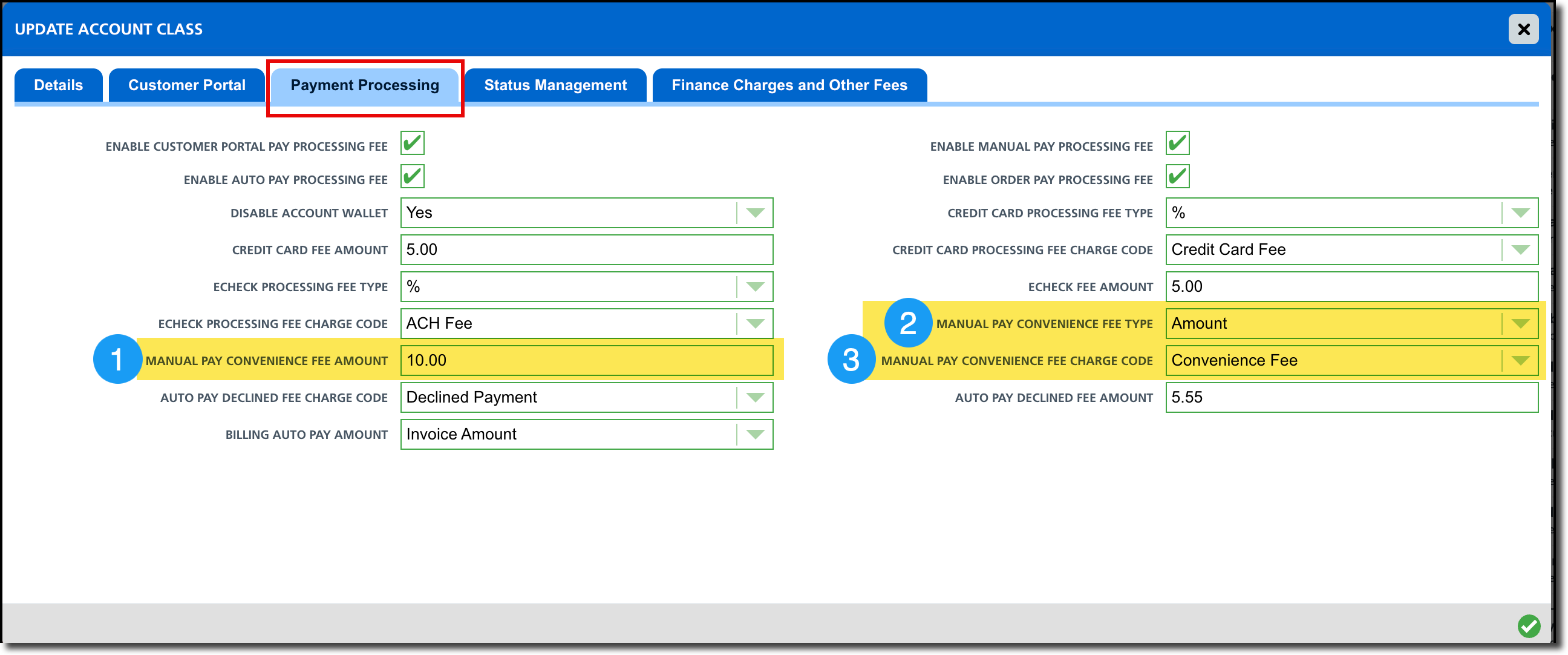
- Manual Pay Convenience Fee Amount
- Text entry field to enter the amount associated with the selected fee type.
- Manual Pay Convenience Fee Type
- This can be set to None, Percentage, or Flat Amount.
- Leave this set to None and convenience fees will be disabled.
- When set to None, Apply Payment Convenience Fee check box is hidden on the Post a Payment screen in AR History.
- Manual Pay Convenience Fee Charge Code
- The specific charge code the convenience fee is billed under.
Apply a Convenience Fee
Once setup is complete, the process to apply the convenience fee is simple and is only available in AR History when manually posting a payment.
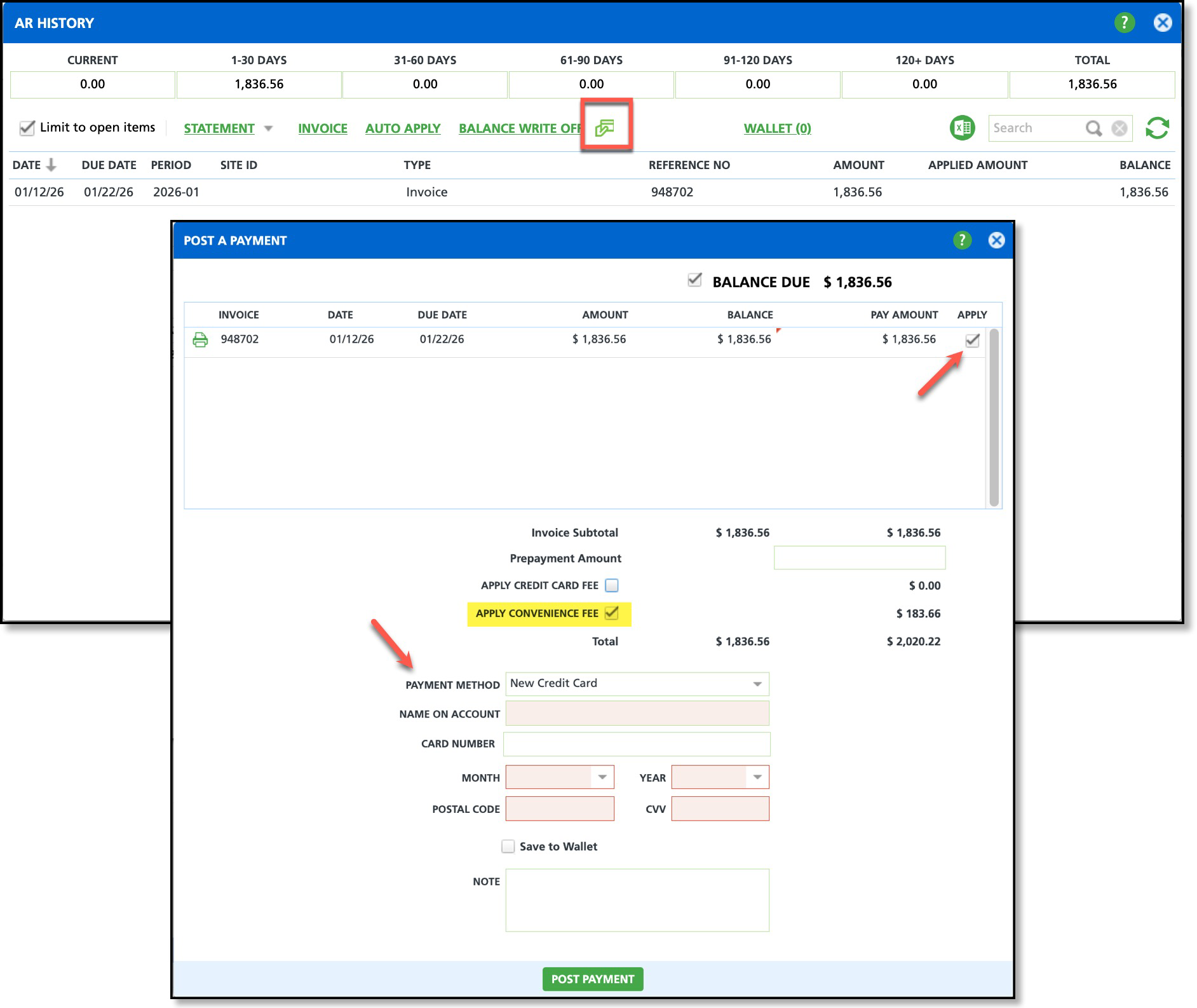
Apply a Convenience Fee to a Payment
- Select the Post Payment icon in AR History to open the Post a Payment screen.
- Review the invoices and select the Apply check box for each invoice the payment will cover.
- By default, the Apply Convenience Fee check box is selected. Clear the check box if the convenience fee should not apply to the transaction.
- Select the Payment Method the customer is using. Once selected, the convenience fee is calculated.
- The convenience fee is calculated based on values entered in the Invoice Subtotal and Prepayment Amount fields.
- The convenience fee does not include the Credit Card Fee, if one is included in the transaction.
- Note: If a payment transaction is configured to charge both a credit card processing fee and a convenience fee, the convenience fee is included in the total payment amount, and the credit card processing fee is applied to that total.
