Equipment Maintenance - Work Code Setup
Last Modified on 04/09/2026 12:42 pm PDT
Pathway: Setup > Operations > Equipment Maintenance > Work Code
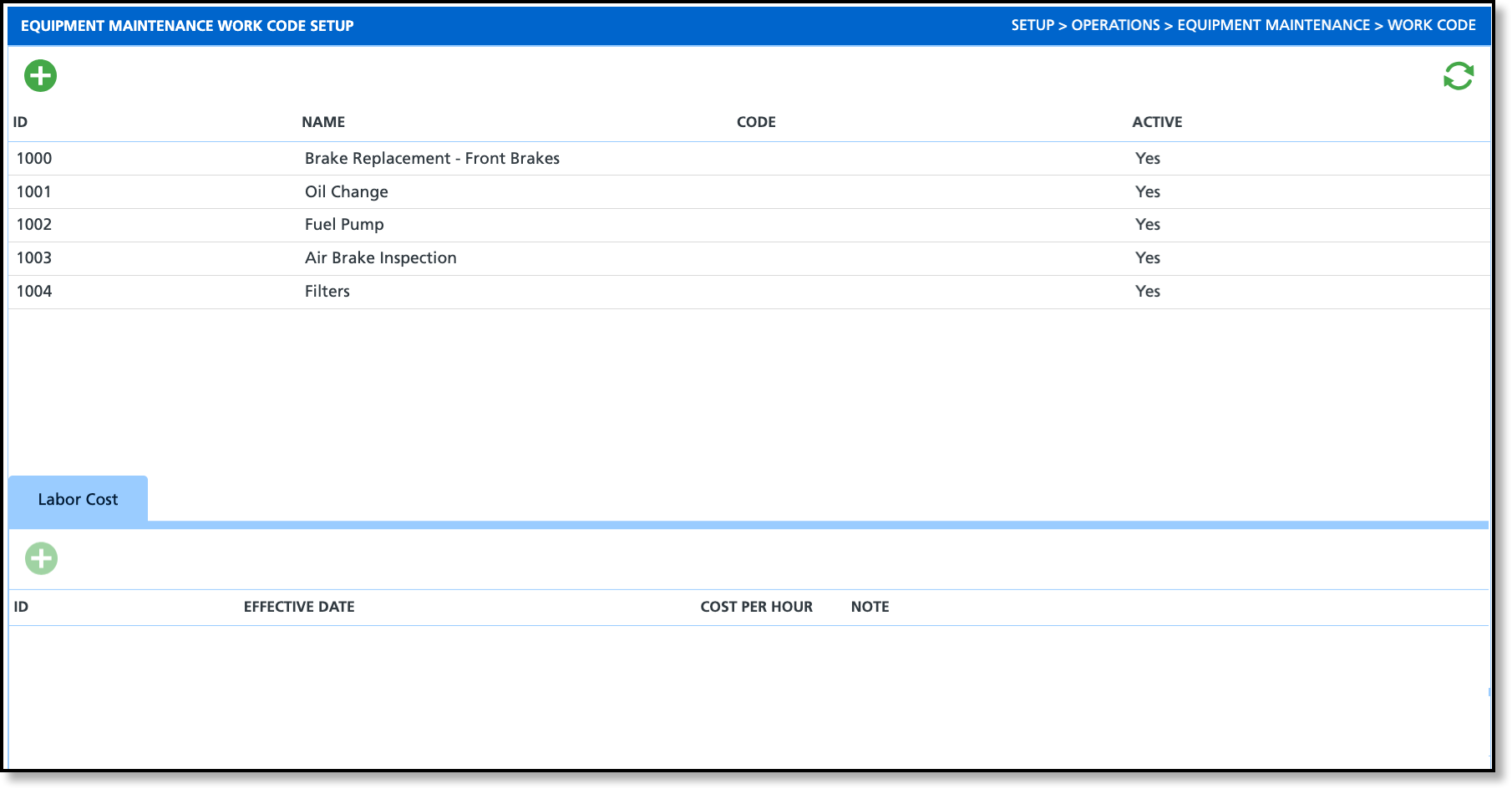
Work codes provide a consistent and structured way to identify and differentiate different maintenance tasks or jobs related to trucks. Each work code corresponds to a specific maintenance activity, such as engine tune-up, brake replacement, oil change, tire rotation, or any other maintenance procedure relevant to trucks and equipment.
Add and Edit Work Codes
By default, Work Codes are active and only require a Name. When selecting a code to add to a maintenance order, only the Name is displayed.
Add
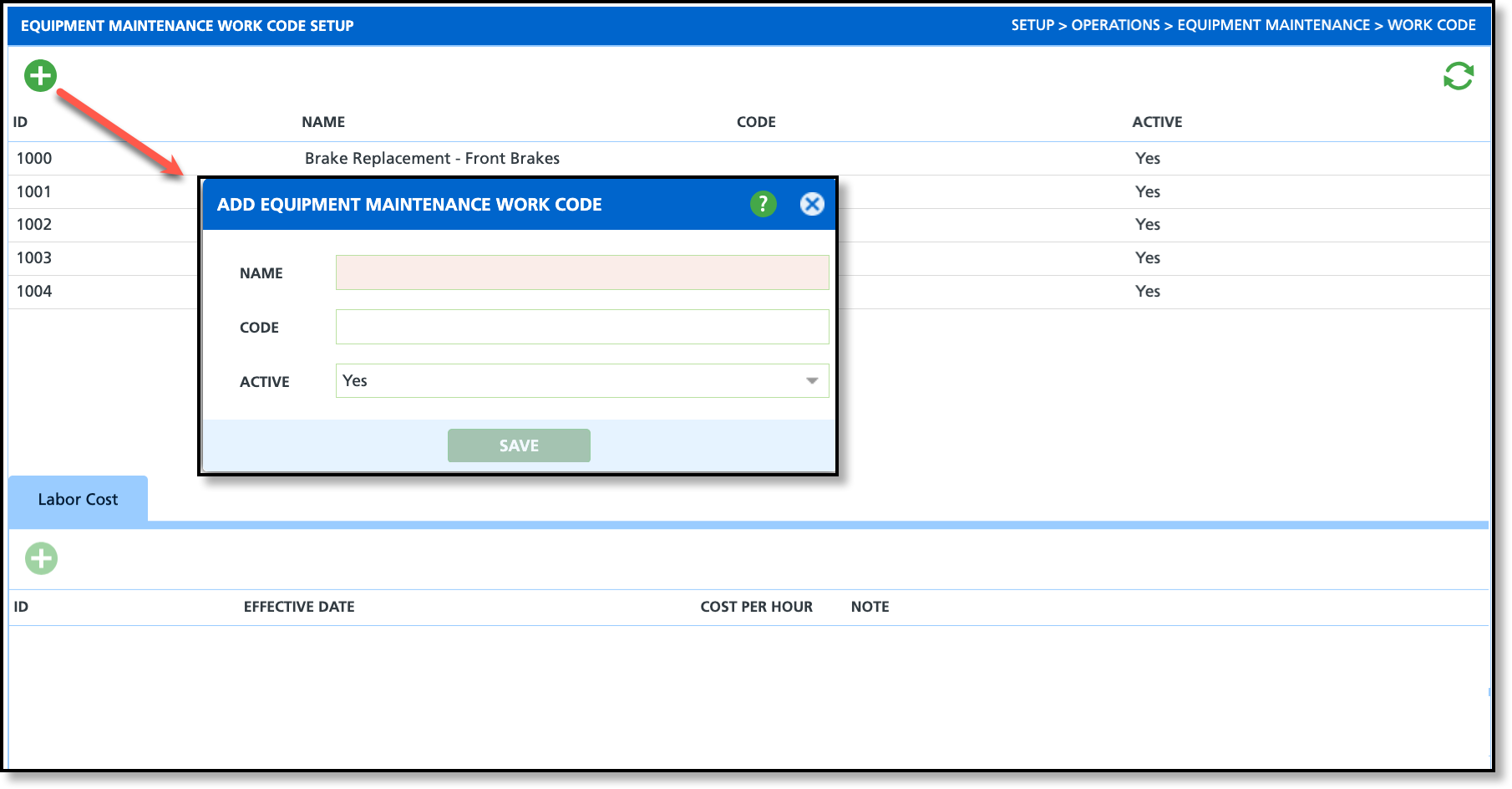
- Select the green Add icon from the setup screen and the Add Equipment Maintenance Work Code popup editor will display.
- Enter a Name for the work code.
- Enter a Code if one applies.
- Click Save when finished.
- Add Labor Cost:
- Click within the row of a work code from the upper grid.
- Select the Add icon under the Labor Cost tab to display the Add Equipment Maintenance Work Code Labor Cost popup editor.
- Enter an Effective Date.
- Enter the expected Cost Per Hour for labor.
- Add a note (optional).
- Click Save when finished.
Edit
This process also applies to edit Labor Costs.
- From the setup screen, double-click the row of the work code you would like to edit to display the Update Equipment Maintenance Work Code popup editor.
- Apply your changes and click Save.
Apply Work Code to Equipment Maintenance Order
The Work Code is available in the Labor tab when adding or editing the Equipment Maintenance Order Work Code and is a non-required field.
Related Articles
Equipment Maintenance
