Equipment Maintenance - Parts and Supplies Setup
Last Modified on 04/09/2026 12:41 pm PDT
Pathway: Setup > Operations > Equipment Maintenance > Parts and Supplies
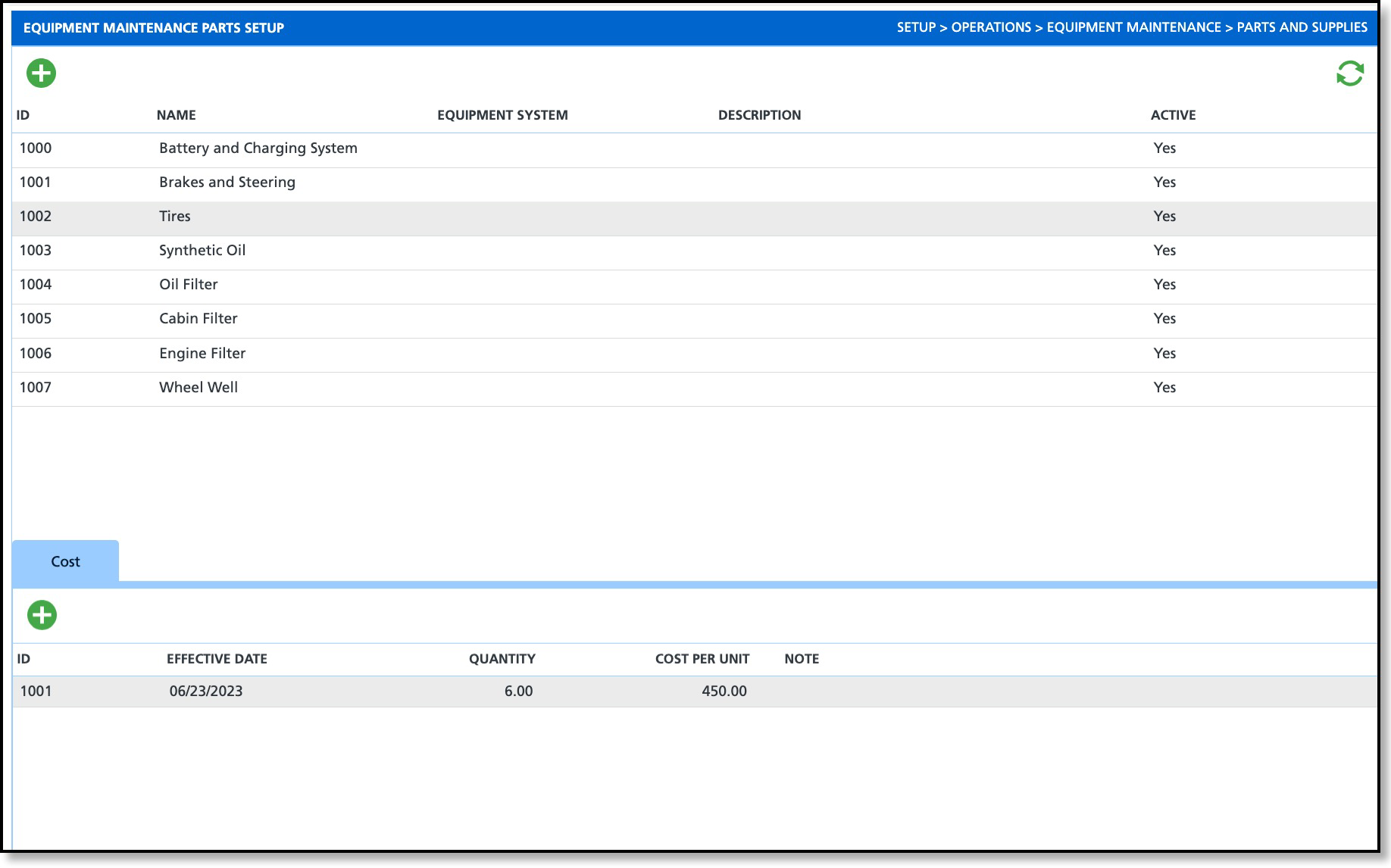
The Equipment Maintenance Parts Setup screen is used to record the inventory of parts required for maintenance and repair activities on a truck. The screen consists of two separate grids: one for entering the part details in the upper section and another for inputting the cost of the part in the lower section.
Field Descriptions
Parts (Upper Grid) |
ID
| The ID that the system assigns to the equipment part upon save. |
Name
| The name of the equipment part that displays for selection when a maintenance plan is created. |
Equipment System | Identifies the system or functional area of the equipment that the part is associated with. |
Description
| Option to add a description to better identify the equipment part with. |
Active
| Controls the availability of the equipment part for selection when adding it to a maintenance plan. Defaults to 'Yes.' |
Cost (Lower Grid) Cost is based on the Equipment selected.
|
ID | The ID that the system assigns to the cost upon save. |
Effective Date
| Date to track when a cost was effective. |
Quantity | Identifies the required quantity of parts or equipment when performing maintenance. |
Cost Per Unit
| Indicates the unit cost of the equipment part required when performing maintenance. |
Note
| Option to add a note such as special pricing for bulk purchases. |
Add and Edit Equipment Maintenance Parts
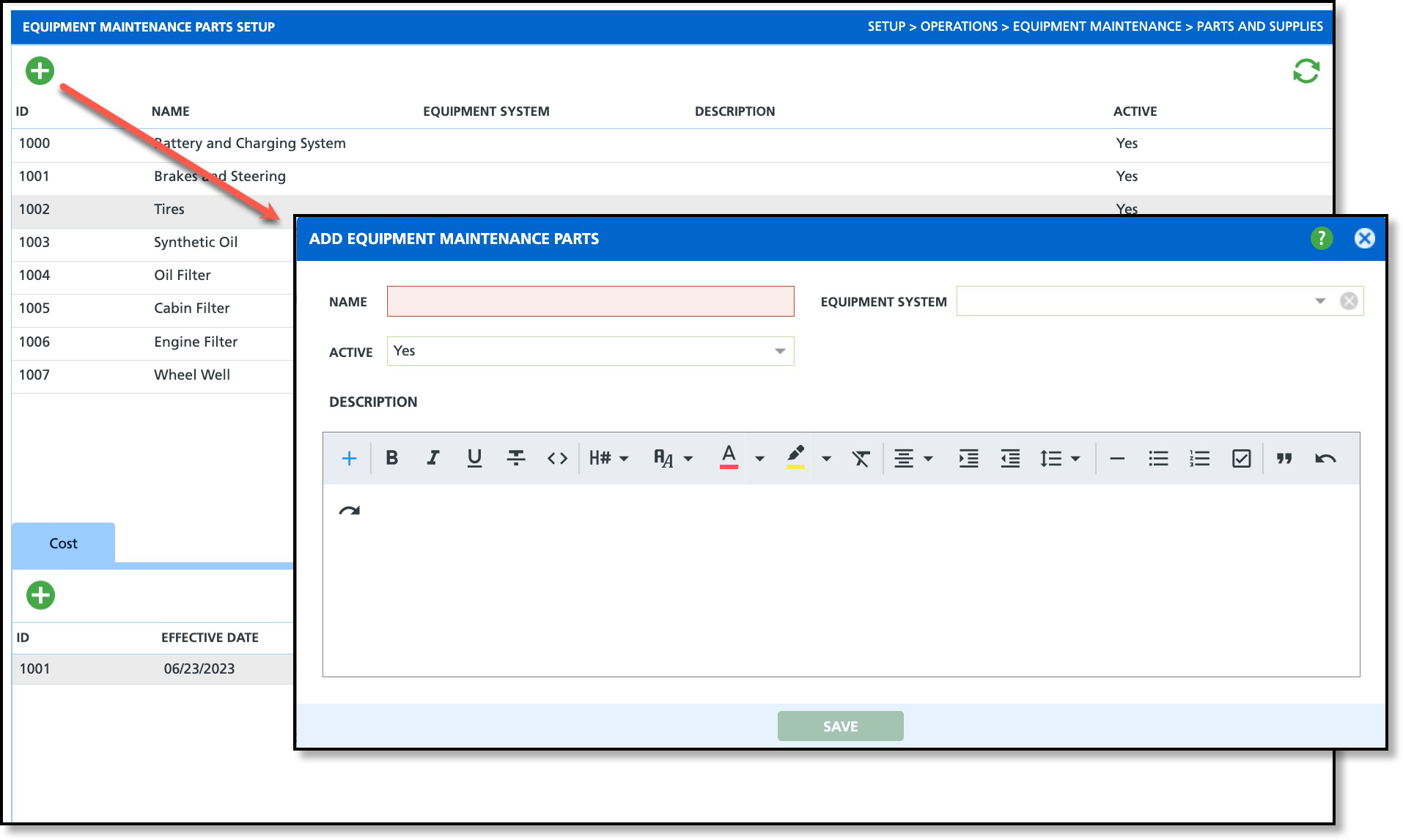
By default, parts and supplies are active and only require a Name. When selecting a part to add to a maintenance order, only the Name is displayed.
Add
- Select the Add icon from the upper grid.
- Enter a Name for the Equipment Part.
- Select the Equipment System if one applies.
- Enter a Description (optional).
- Verify the Active drop down is set to Yes to make the equipment part available for use.
- Click Save when finished.
- Add Cost:
- Select an equipment part from the grid above.
- Click the Add icon from the Cost section.
- Enter an Effective Date.
- Enter the Quantity, or number of parts needed when maintenance is performed.
- Enter the expected Cost Per Unit.
- Add a Note (optional) that will display in the maintenance plan for the cost of the parts.
- Click Save when finished.
Edit
This process also applies to edit Costs.
- From the setup screen, double-click the row of the part you would like to edit to display the Update Equipment Maintenance Parts popup editor.
- Apply your changes and click Save.
Apply Parts & Supplies to a Equipment Maintenance Order
Attach Parts and Supplies to a maintenance order from the Parts & Supplies tab.
Related Articles
Equipment Maintenance
