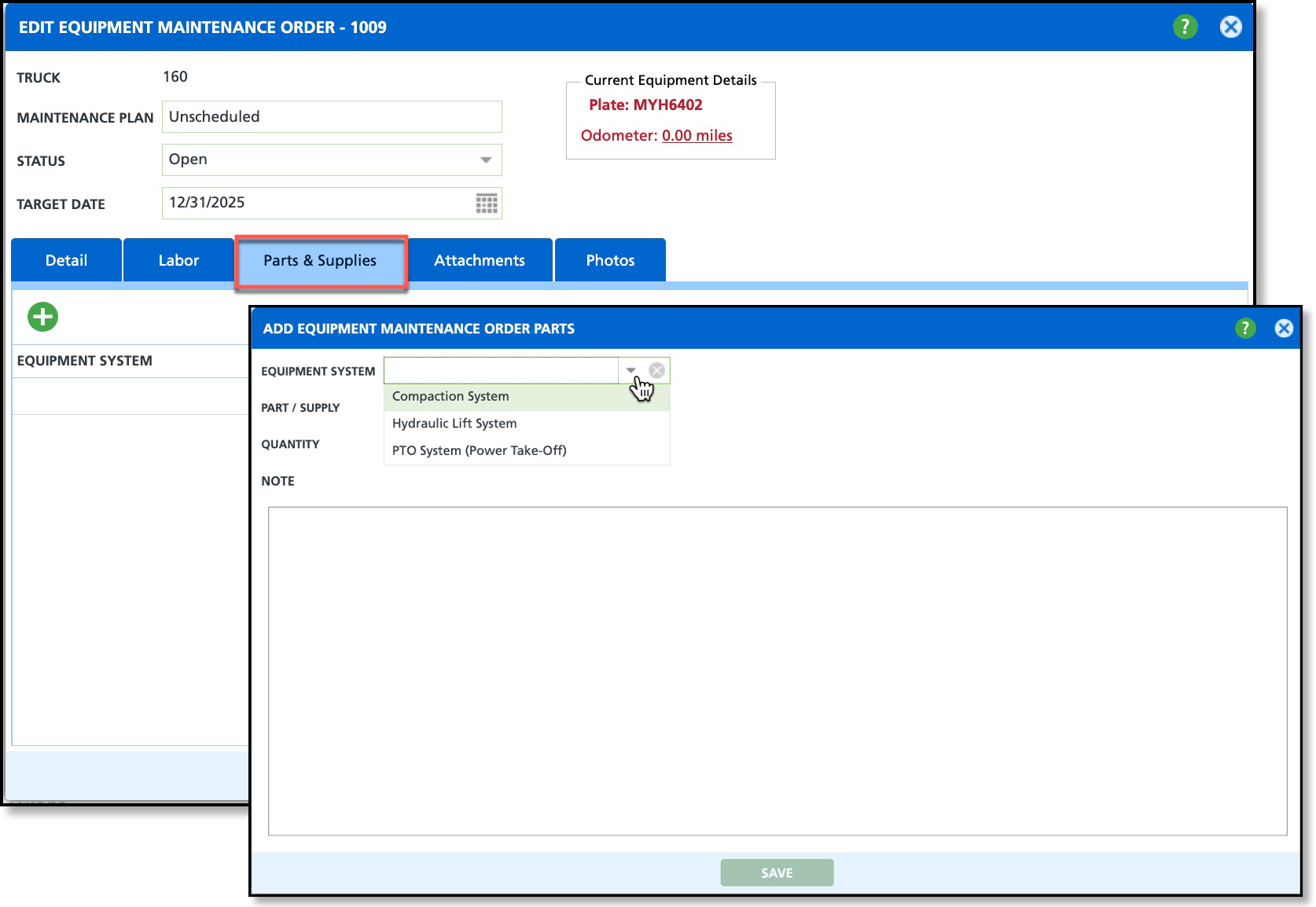
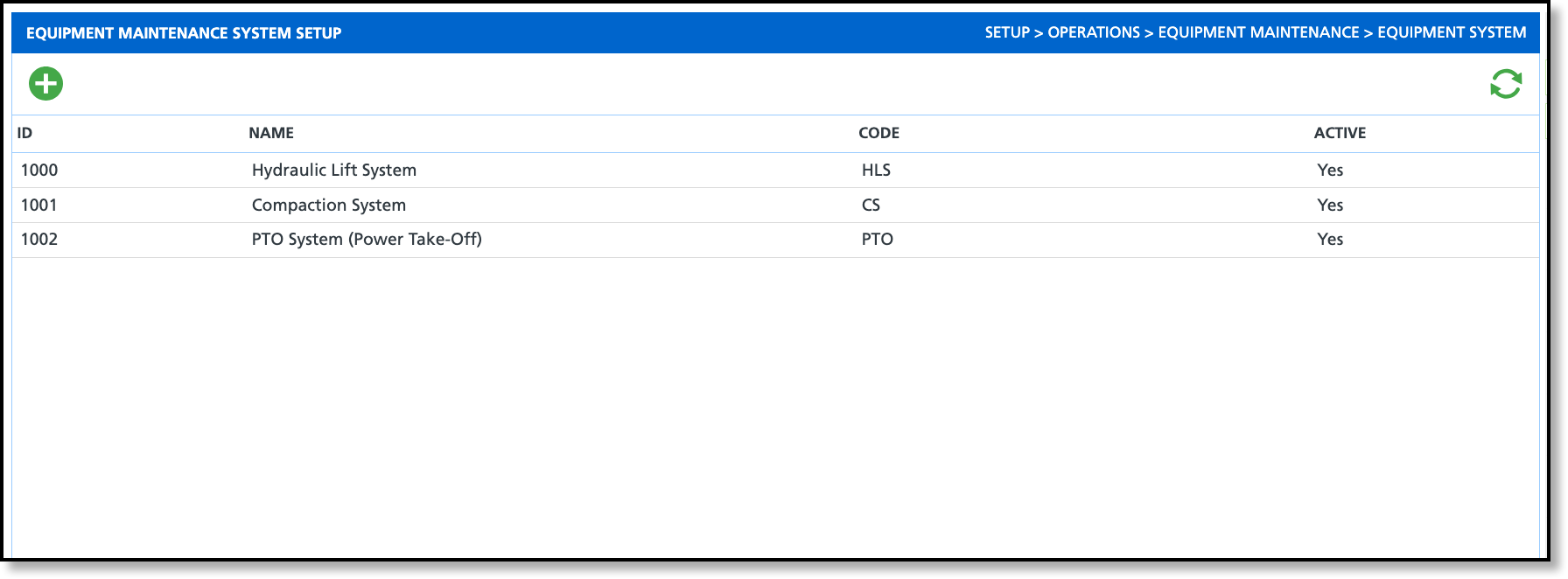
The Equipment System Setup screen lets you define the major systems of your equipment, such as hydraulic, compaction, engine, brake, or PTO systems. Entries made here are available in the Parts and Supplies tab when adding or editing an equipment maintenance order.
Add and Edit Equipment System
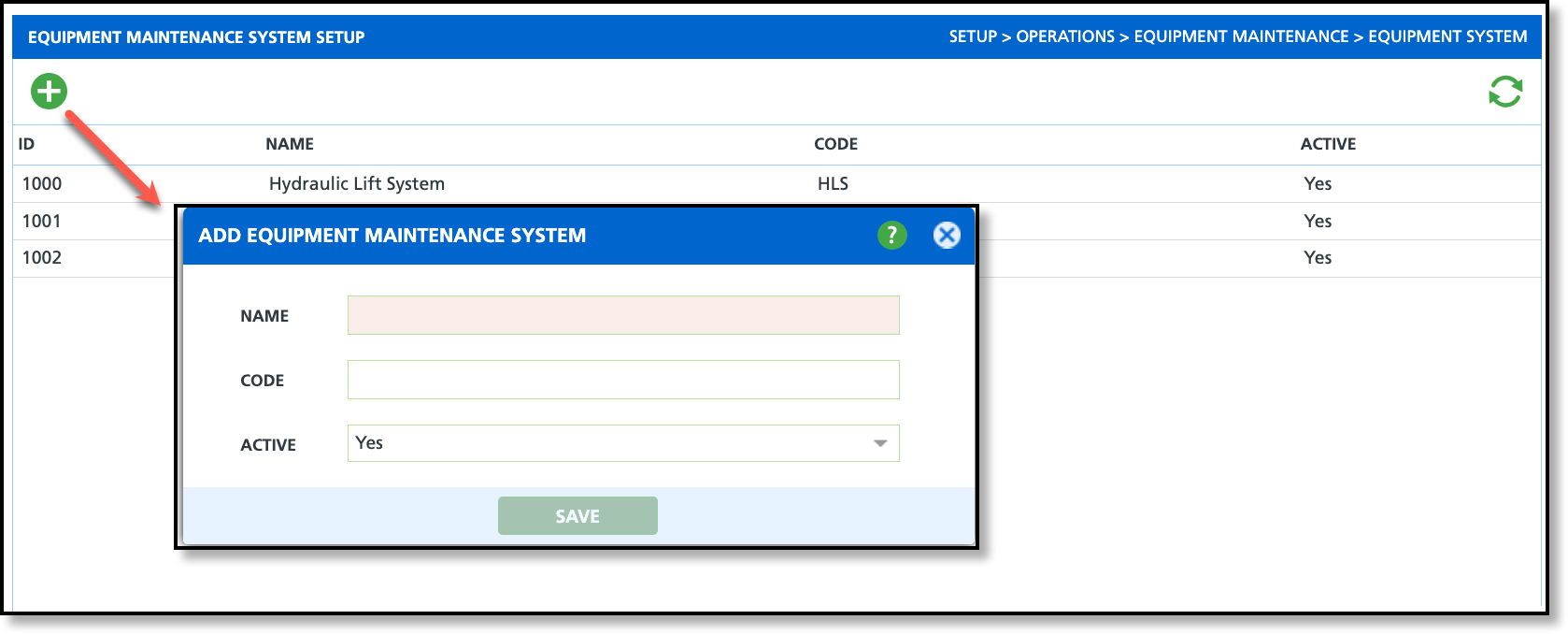
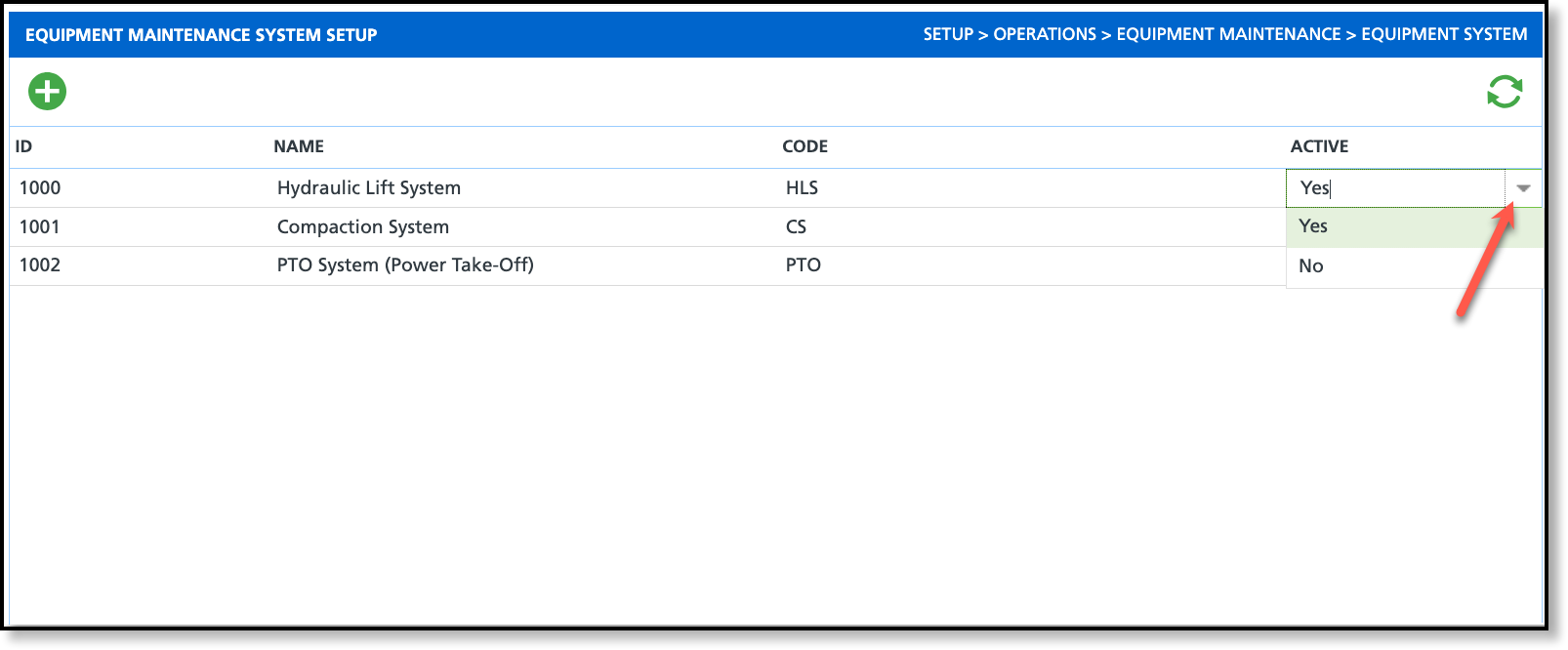
By default, Equipment Systems are active and only require a Name. When selecting a system to add to a maintenance order, only the Name is displayed.
Add Equipment System to an Equipment Maintenance Order
The Equipment System option is available in the Parts & Supplies tab when adding or editing the Equipment Maintenance Order Parts and is a non-required field.