Surcharge Group
Last Modified on 09/30/2026 9:53 am PDT
Pathway: Setup > Services > Surcharge Group
Surcharge Groups are collections of surcharges assigned to an account. Individual surcharges cannot be assigned directly to an account and must be added to a group. A single surcharge can be included in multiple surcharge groups. By grouping surcharges, users can easily manage which charges are applied to a site’s invoice to ensure consistent billing across multiple sites or services.
For a surcharge to be applied to a site's invoice, it must be enabled for the site's assigned service code and included in the site's assigned surcharge group. Follow the setup below to ensure surcharges are applied correctly. Refer to the Surcharge Setup article for more information and full setup instructions.
Permissions
The following permission(s) are required to add and remove surcharges to a surcharge group:
Permission ID | Permission Name |
95
| Setup Main Menu |
118 | Setup \ Services |
Prerequisites
The following setup must be complete before surcharge groups can be created and applied to a site.
- Surcharges were created in Surcharge Setup
- Surcharges are enabled on the service codes they apply
Add a Surcharge Group
Creating a surcharge group involves two steps. First, the group is created. Second, surcharges are added to the group. Not all surcharges in a group are necessarily applied to a site. When a group is assigned to a site, the site is billed only for the surcharges associated with the service code of its active service. As a result, a surcharge group may contain multiple surcharges, while a site may be billed for only those that apply based on its active service.
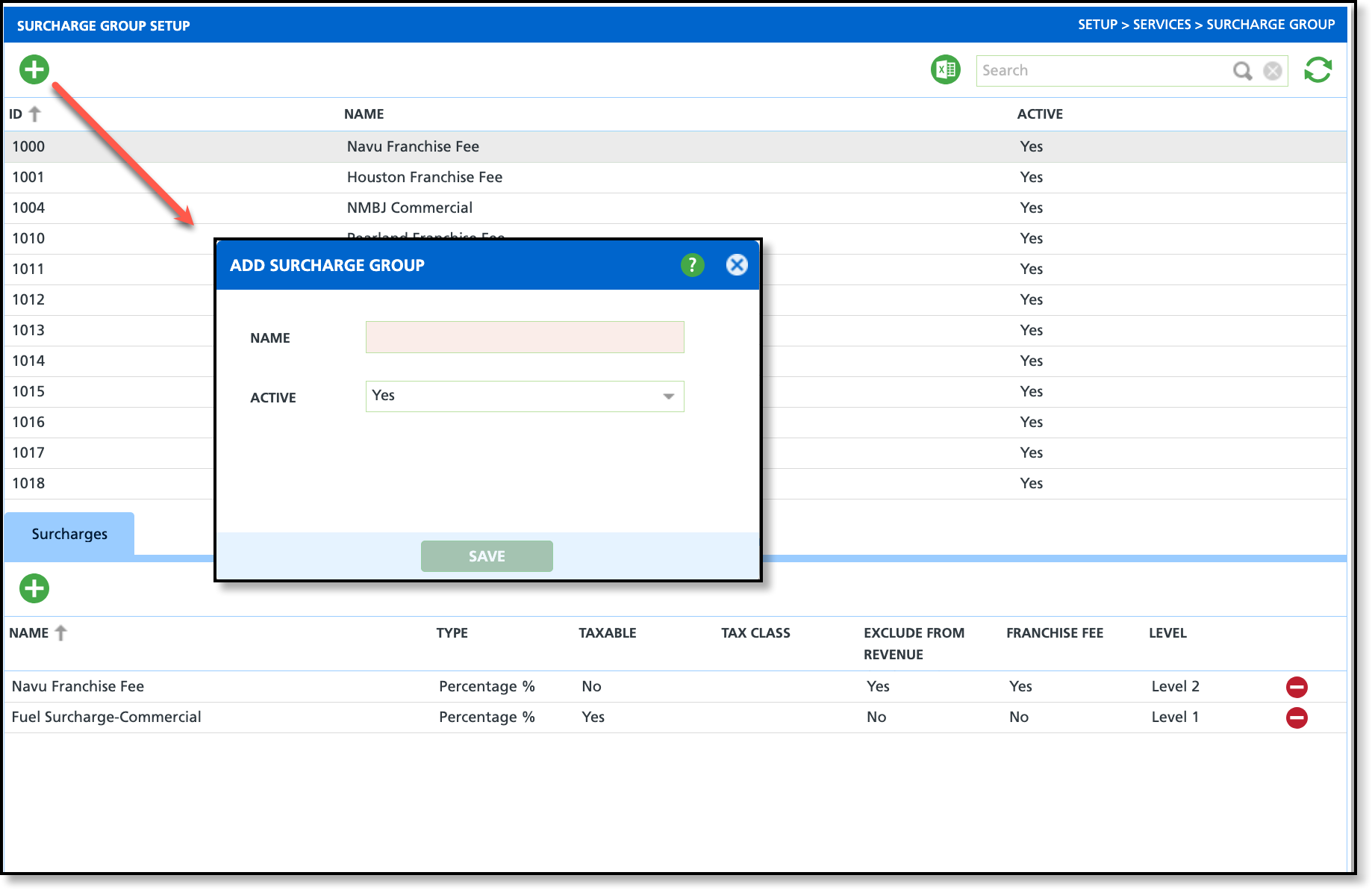
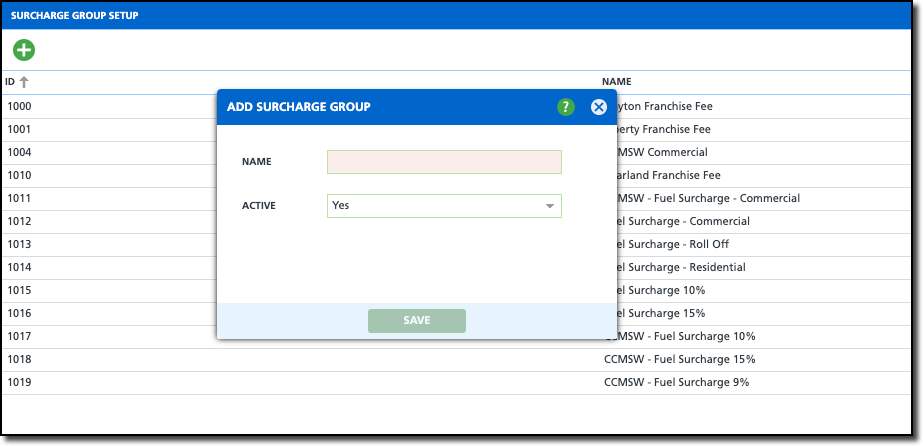
- Click on the Add icon to open the Add Surcharge Group popup editor.
- Enter a Name of the surcharge group. If a surcharge group is specific to a division, or class type, consider a naming method that identifies the surcharge group's purpose.
- Select the Active status of the surcharge group.
Add/Remove Surcharges in a Group
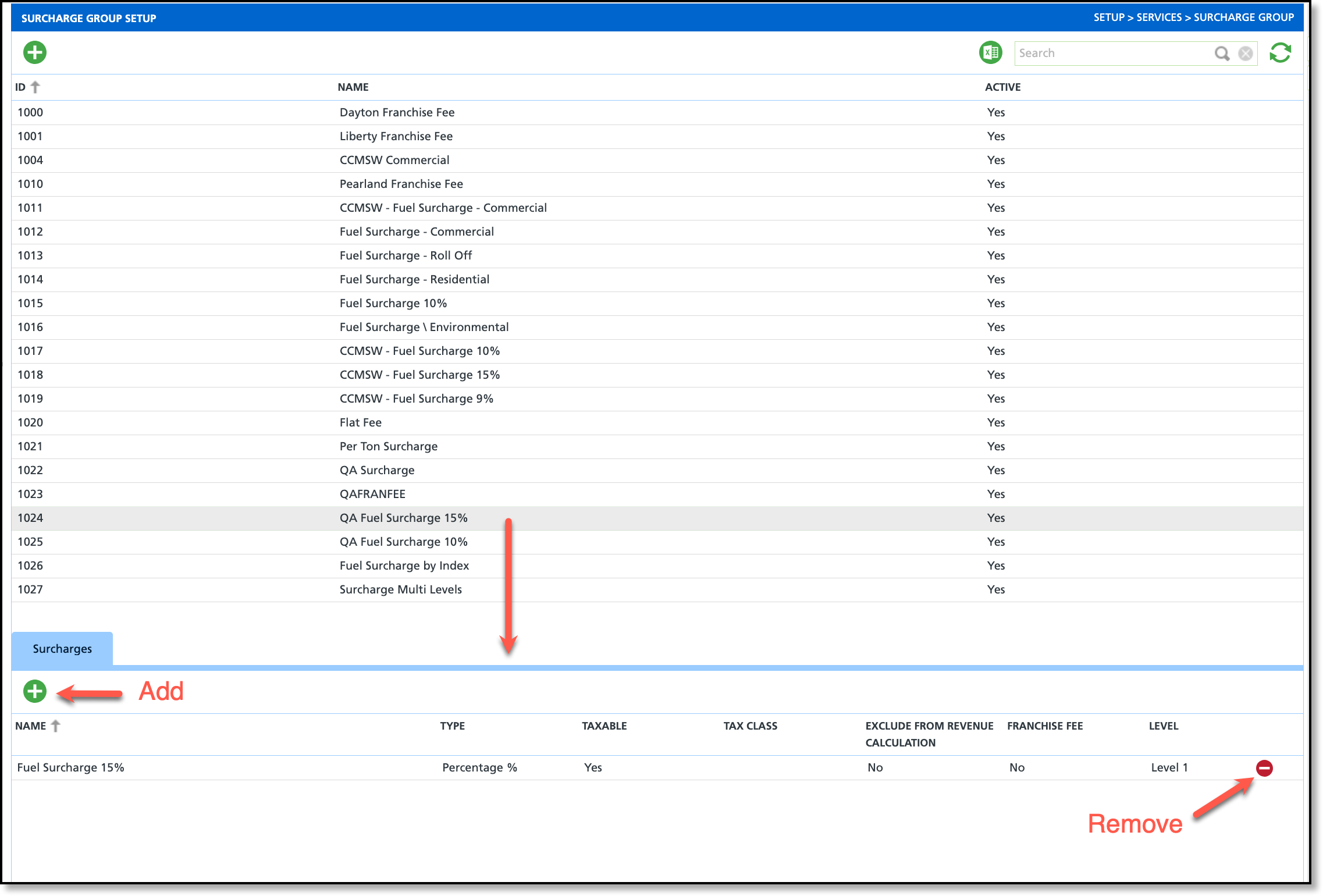
Selecting the surcharge group from the upper grid will display its Surcharges tab in the lower grid where previously created surcharges can be added or removed.
Add a Surcharge

- Select a surcharge group from the upper grid.
- In the Surcharges tab, click on the green ' + ' add icon. This will display the Add Surcharge popup window.
- Select the green ' + ' add icon for each surcharge you would like to add to the surcharge group.
- Close the window when finished.
Remove a Surcharge
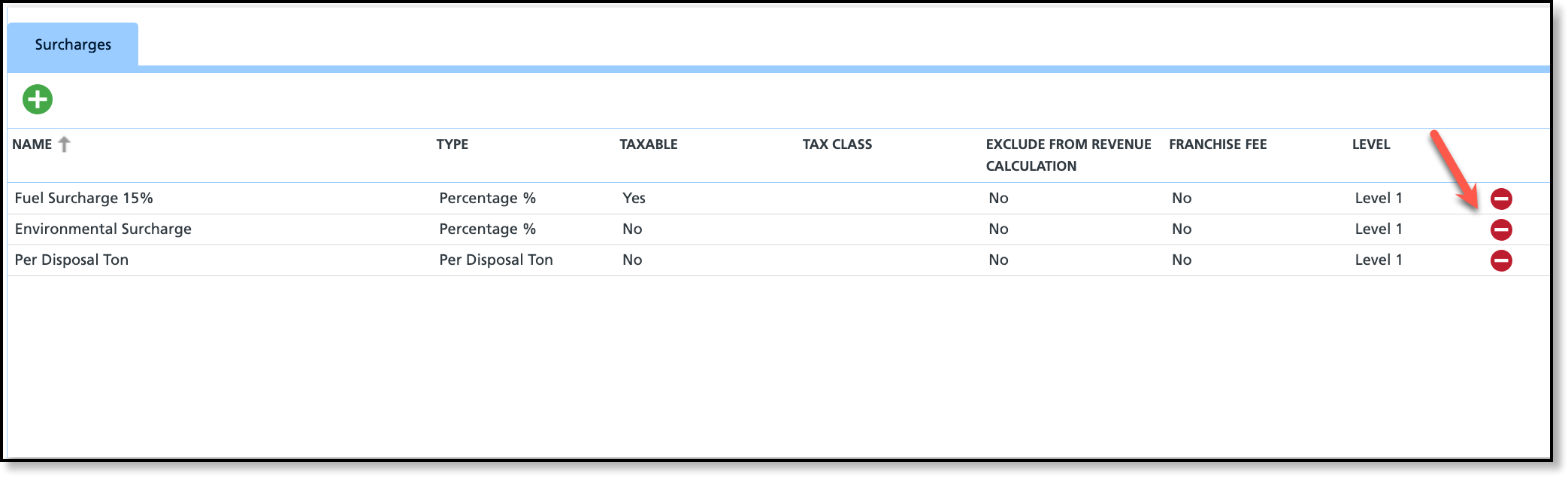
- Select the Surcharge Group from the upper grid to display its associated surcharges in the lower grid.
- Select the red 'Remove' icon for each surcharge the group no longer includes.
Nested Surcharges (Level 1 / Level 2)
Nested surcharges allow one surcharge to be calculated based on the amount of another surcharge rather than solely on the service amount. This is controlled by the Level column on the Surcharges tab.

Setup Requirements
- For a nested surcharge to apply, the surcharge must also be enabled on the Surcharges tab for the Service Code being billed.
- The rate for a nested surcharge is determined by the rate defined for that surcharge in Surcharge Setup.
- In the example that is being illustrated below, the LA Franchise Fee was set up as 10% in Surcharge Setup.
Level 2 Surcharge Calculation
By default, all surcharges are assigned Level 1 and are calculated from the billed service amount. Assigning a surcharge to Level 2 causes it to be calculated from the total of all applicable Level 1 surcharges within the assigned Surcharge Group.
In the example below:
Charge | Calculation | Amount |
|---|
10 Yard Trash Service | Base service charge | $75.00 |
Fuel Surcharge 15% (Level 1) | 15% × $75.00 | $11.25 |
LA Franchise Fee (Level 1) | 10% × $75.00 | $7.50 |
LA Franchise Fee (Level 2) | 10% × $11.25 | $1.13 |
The total LA Franchise Fee is:
$7.50 + $1.13 = $8.63
How It Appears in AR History
When viewing or adjusting an invoice in AR History, each surcharge calculation is displayed as a separate line item. This allows users to see exactly how each surcharge amount was calculated.
- Fuel Surcharge 15% ............ $11.25
- LA Franchise Fee (Level 1) .... $7.50
- LA Franchise Fee (Level 2) .... $1.13

How It Appears on the Customer Invoice
The customer invoice consolidates surcharge calculations by surcharge name. Instead of displaying separate Level 1 and Level 2 entries, the invoice combines both LA Franchise Fee calculations into a single line item.
The customer sees a single LA Franchise Fee of $8.63, which is the combined total of the Level 1 ($7.50) and Level 2 ($1.13) calculations.

Apply a Surcharge Group to a Site
After a surcharge group has been created, it can be applied to a site's billing settings.
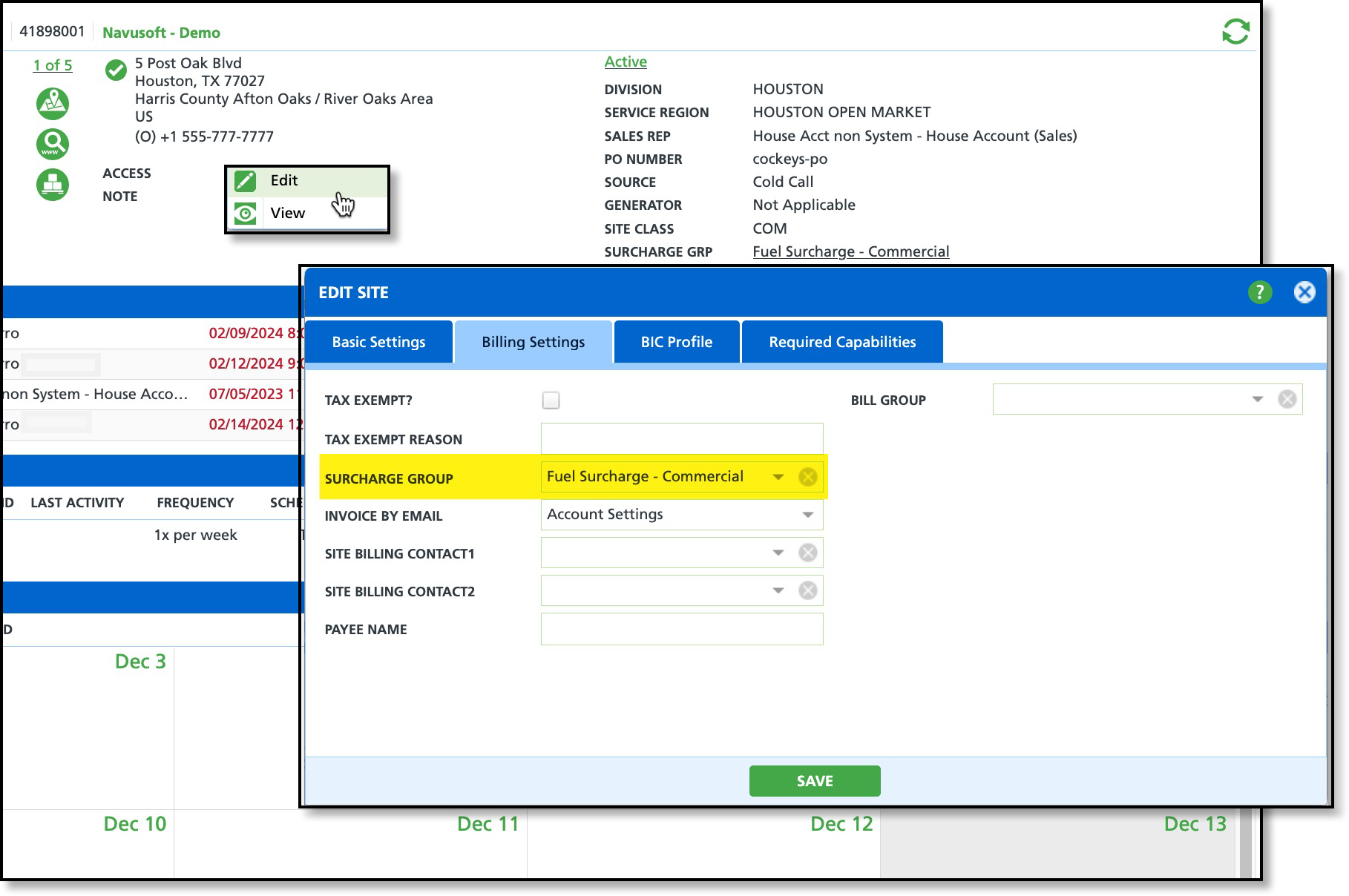
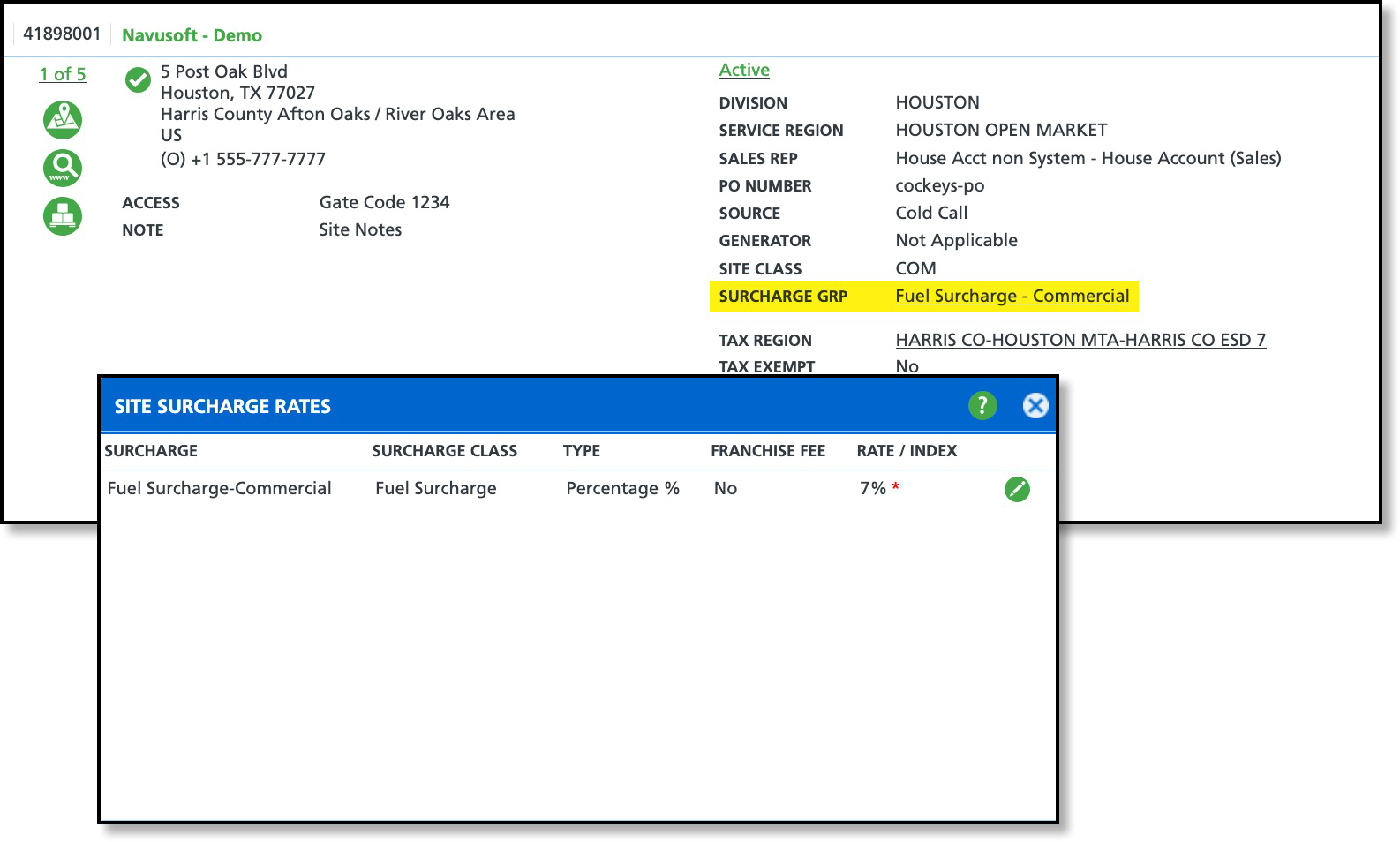
View Surcharge Rates Applied to a Site
After a surcharge group is applied to a site, it appears as a hyperlink in Site Details. Selecting the surcharge group link opens the Site Surcharge Rates screen, which displays only the rates associated with the site’s active services. From this screen, users can override a surcharge rate for the specific site, if needed, by selecting the green Edit bubble icon.