Geocode Correction - Bulk Geocoding and Map Auditing
Last Modified on 08/10/2026 3:03 pm PDT
Geocoding typically happens automatically when an address is selected from the system’s validated list of addresses during account creation. However, if this doesn't happen or for new construction, cross-streets, human error, or locations Google doesn't recognize, the system provides tools to help with properly geocoding all sites.
Why Proper Geocoding Matters
Having each site correctly geocoded ensures that every service location has functional coordinates and that those coordinates are accurately placed for the driver. This is very important for route optimization, enabling new or substitute drivers to navigate routes with zero "blind spots" and ensuring that Arrival/Departure timestamps are captured accurately via the system's geofencing (when Residential Mode is enabled).
Resolve Non-Geocoded Sites (Missing Coordinates)
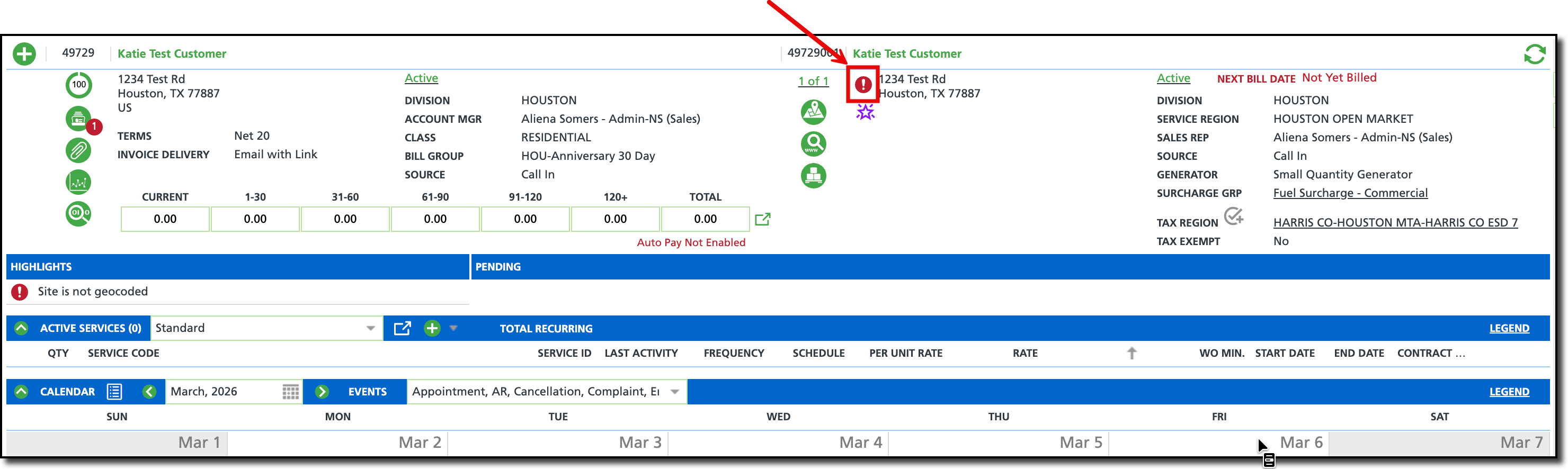
Non-geocoded sites (no Lat/long) are identified via a Red exclamation point on the site itself and on the Operations > Site Geocoding & Service Time screen which is specifically designed to view and correct geocode locations in bulk.
To resolve non-geocoded locations:
From the Operations > ite Geocoding & Service Time screen, select the Non-Geocoded Service Addresses tab.
Select your Division and Service Region to load the list of non-geocoded sites. Note the red exclamation mark on the row.

Review the Record Count: Note the total number of non-geocoded sites (e.g., "57 records found").
Click the Geocode All button. The system will attempt to automatically resolve every address in the list using its integrated mapping engine.
Handle Manual Failures: For any addresses that remain in the list (usually due to typos or new construction), click the Hyperlink to the customer account. This will show the red exclamation mark by the site's name. From here, coordinates can be manually entered.
Resolve Misplaced or Rogue Site Pins
Sites with a Green check mark are considered to be geocoded; however, their placement may not match the business model (pin was placed on the wrong side of the parking lot, or centered over the home/building instead of street-side). Pin locations can affect the auto-complete feature in NavuNav's Residential mode. On rare occasions, a site may be incorrectly mapped, these are referred to as rogue sites.
In both cases, rogue sites can be corrected, and properly geocoded sites can be fine-tuned using the Bulk Map Geocode tab on the Operations > Site Geocoding & Service Time screen.
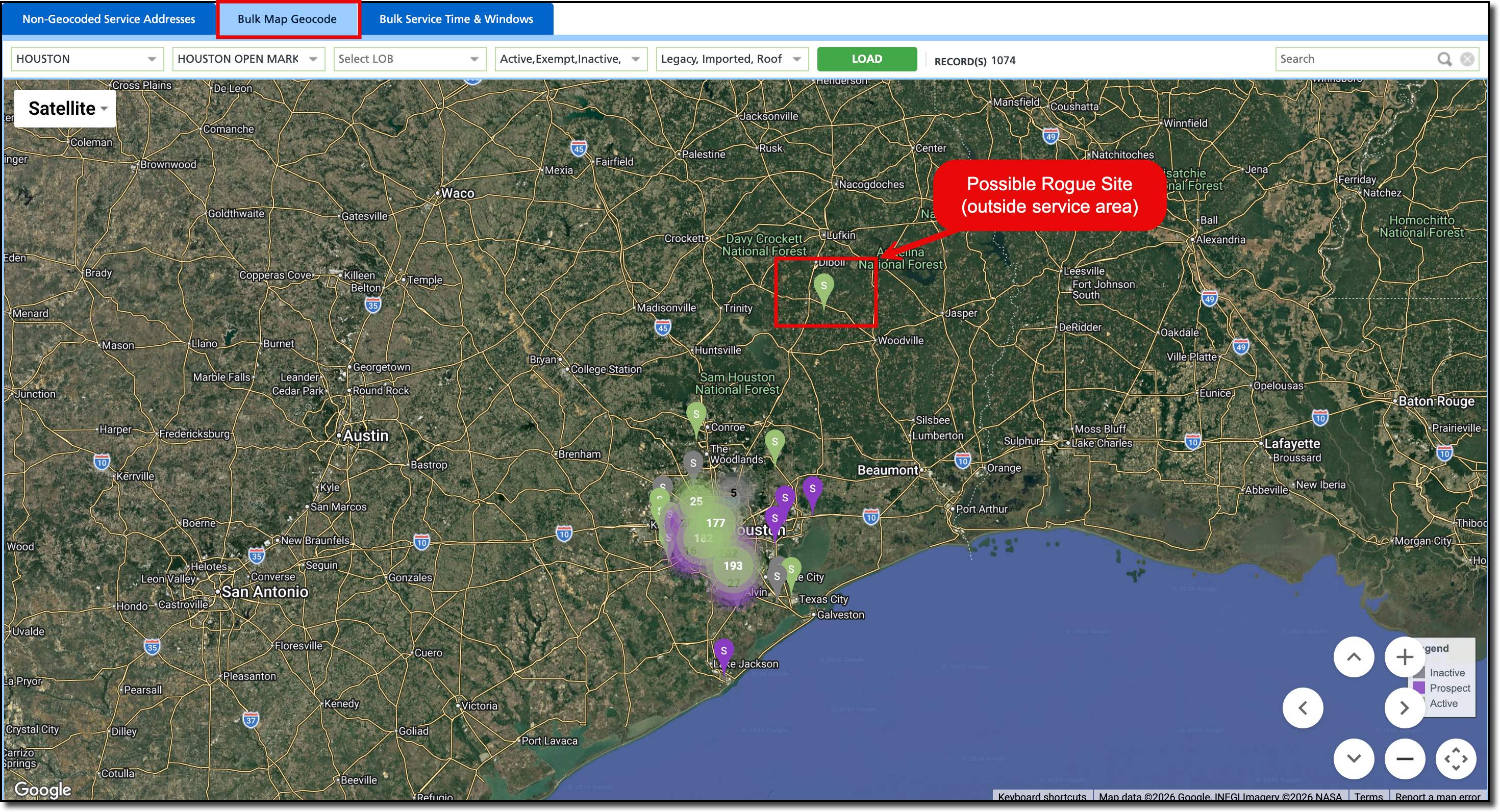
From the Operations > Site Geocoding & Service Time screen, select the Bulk Map Geocode tab. This displays every geocoded site in your region as a pin on a global map.
From here there are different ways to validate and correct pin locations:
Identify "Rogue Pins": Scan the map for outliers—pins that appear in the ocean, in a different state, or far outside your service area. These are typically the result of data import errors.
Zoom and Verify: Zoom into specific neighborhoods or high-density areas to verify the precision of the pins.
Drag-and-Drop Correction: If a pin is placed incorrectly (e.g., at the front door of a warehouse instead of the back alley loading dock), click and drag the pin to the exact service point.
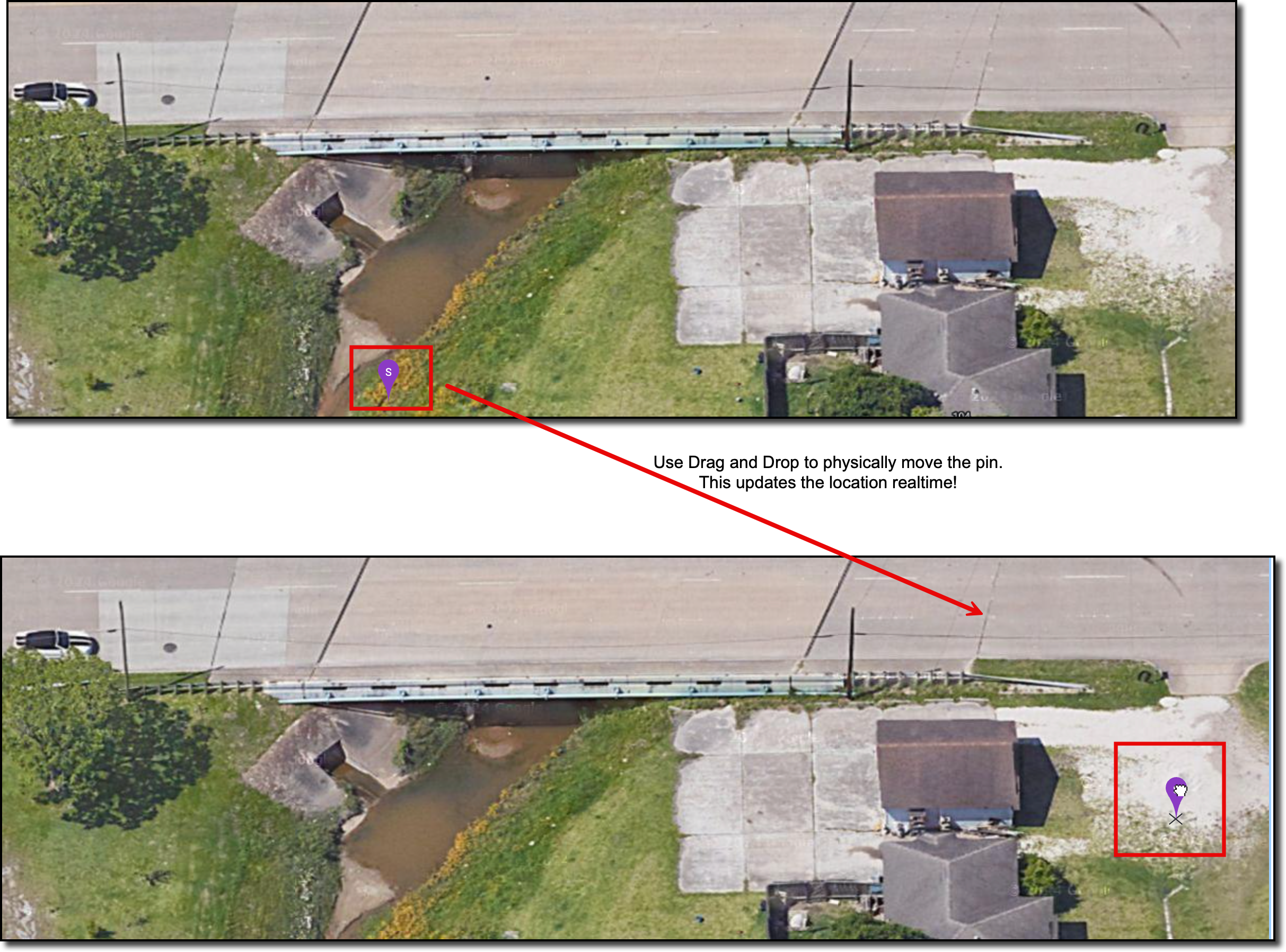
IMPORTANT >> Once a pin is moved, the system saves the new coordinates automatically. This update is pushed to the NavuNav driver tablet in real-time, ensuring the driver has accurate turn-by-turn navigation for their next stop.
Related Articles
Site Geocoding & Service Time
Route Optimization
