Site Inventory (Accounts) - Updates to Inventory (Site/Yard) (20407)
Last Modified on 03/09/2026 1:53 pm PDT
To enhance scale performance, updates across multiple inventory screens were applied.
Site Inventory Updates
The following updates have been made to Site Inventory > Equipment:
- The Equipment column was renamed to Equipment Type.
- New Ownership and Tare Weight columns were added.
- The ability to adjust the inventory is disabled if the ownership is set to Customer.
- A new Ownership field was added to Add Site Inventory.
- Only displays if the equipment is serialized.
- Defaults to Customer.
- A new License Plate field was added to Add Site Inventory.
- (Not displayed) To edit a record, double click on the equipment record and Tare, License Plate, External ID and Ownership fields can all be edited. This is only available for serialized inventory.
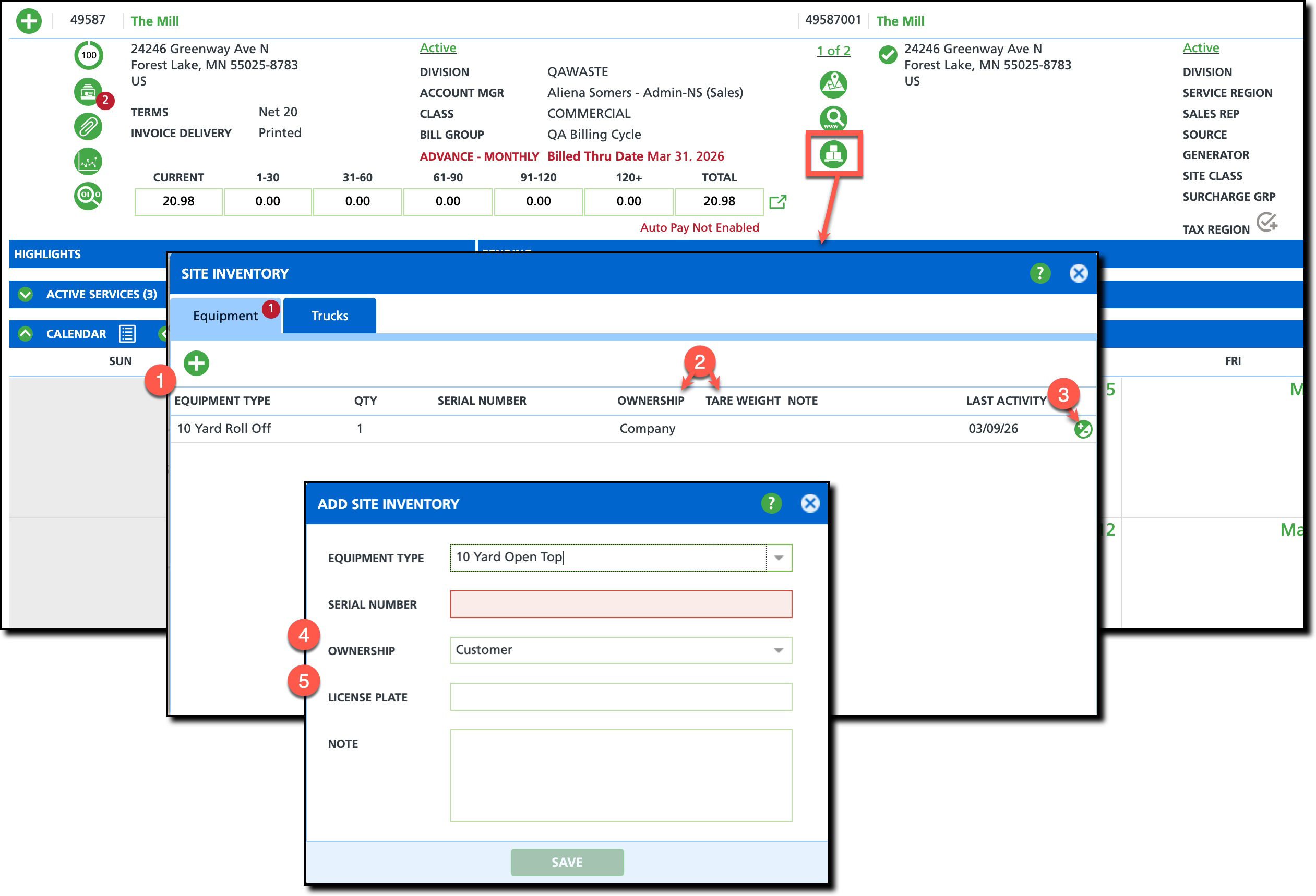
Pathway: Customer Service Screen > Site Inventory [Equipment tab]
Yard Inventory
The following updates have been made to Inventory Management > Add Yard if the equipment type is serialized:
- Add One and Add Multiple radio button options were added.
- Logic to the Serial Number field was updated to collapse to a single value field if 'Add One' was selected.
- A License Plate field was added and will only display for serialized inventory.
- (Not shown) Upon saving, ownership for yard inventory is set to 'Company.' If 'Add Multiple' was used, multiple equipment records are created.
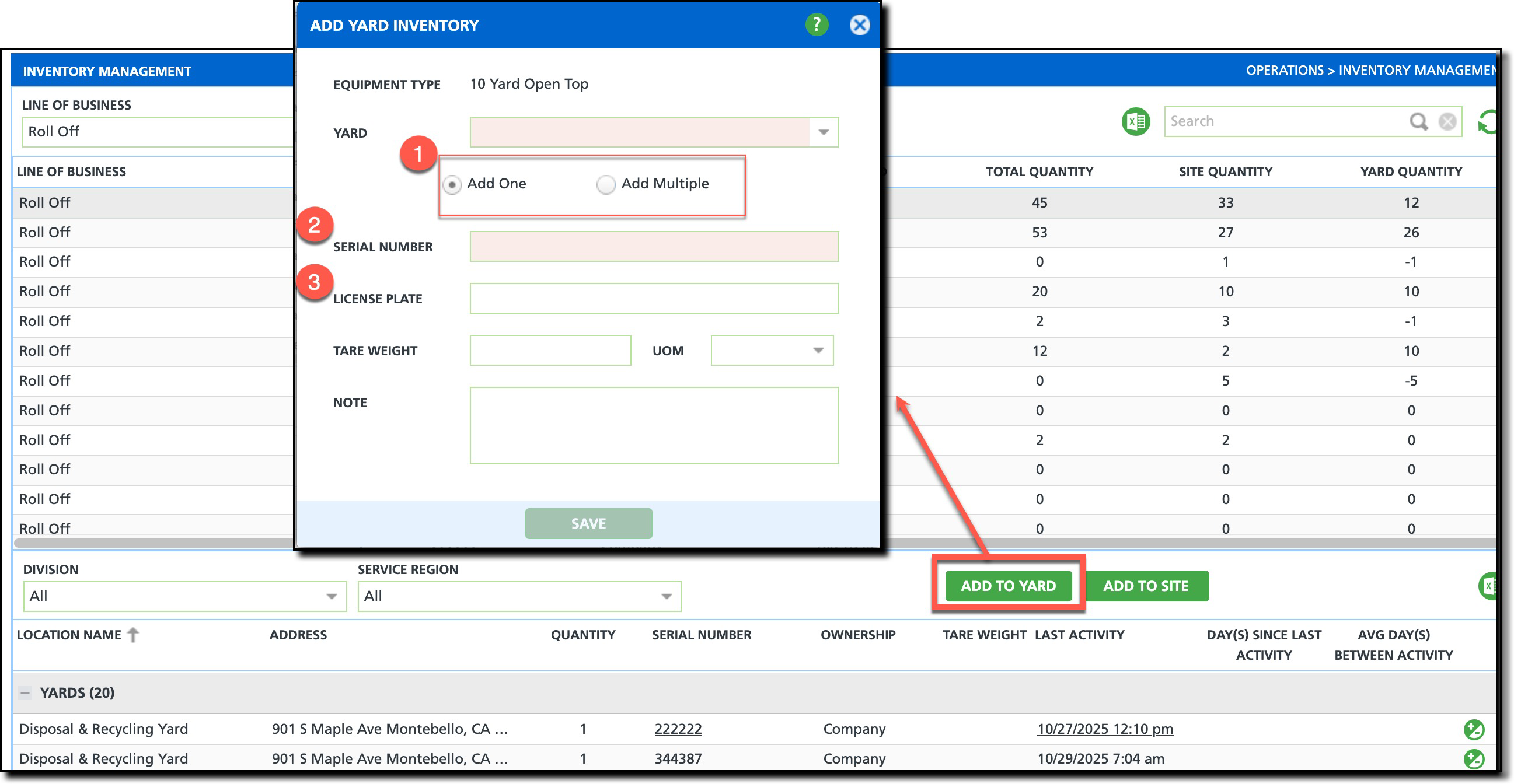
Pathway: Operations > Inventory Management > Add To Yard
Inventory Management
The following updates were made to the Inventory Management screen
for serialized inventory:
- An Ownership column has been added and will display 'Company' if an equipment record is not found, otherwise the value from the equipment is displayed.
- A Tare Weight column was added.
- If a license plate is recorded, it will display below the serial number.
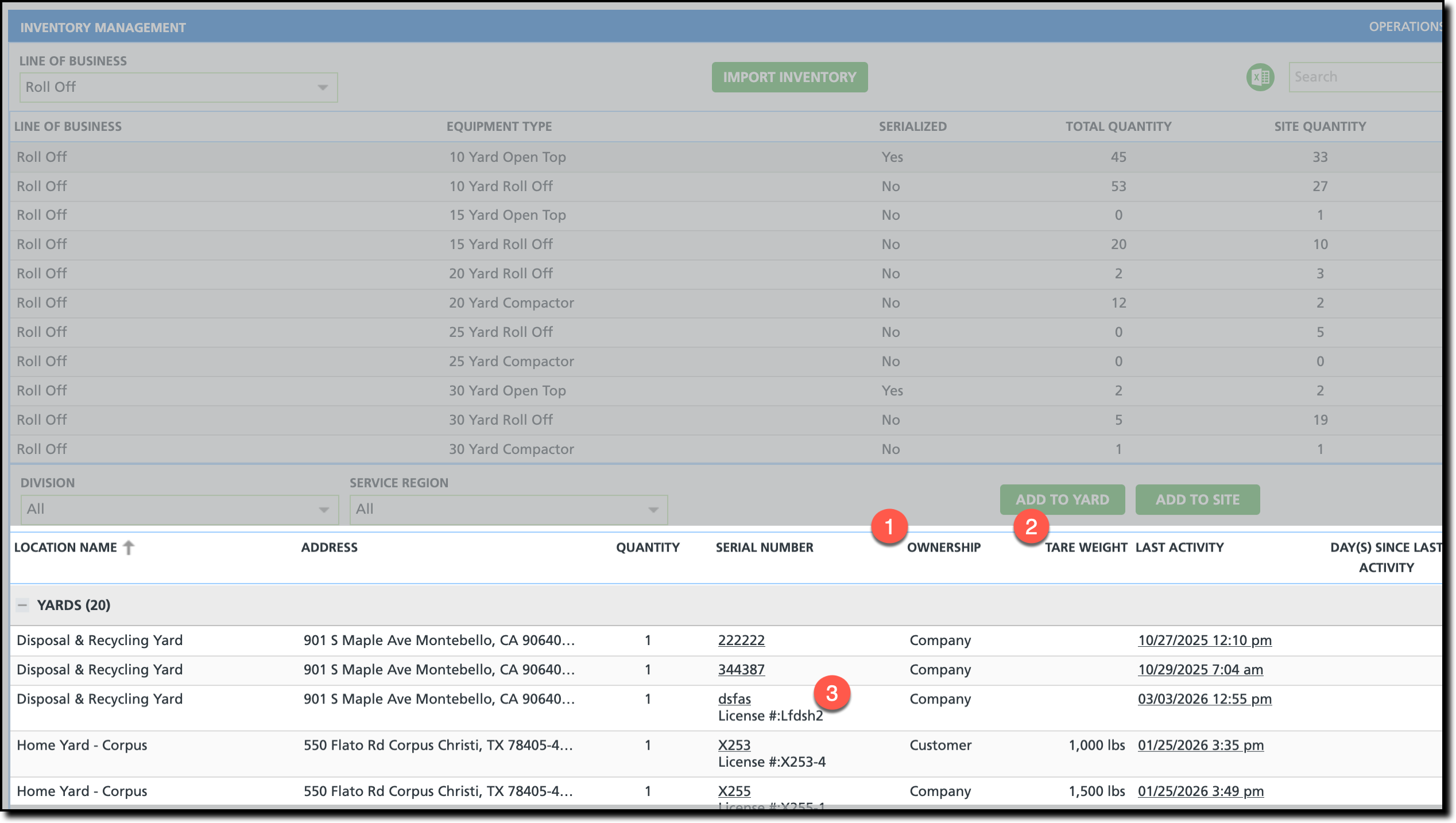
Pathway: Operations > Inventory Management
