Permission Setup
Last Modified on 08/25/2026 2:03 pm PDT
Pathway: Setup > System > Permission
Within the Navusoft application, user accounts require specific permissions for daily operations. These permissions are not directly allocated to individual users; rather, they are assigned to roles linked to a user's account. For instance, accounting permissions might be assigned to a role named "Accounting" or "Accountant," and any user within that role will automatically receive the associated permissions. This role-based approach streamlines the management of permissions, making it more efficient and organized.
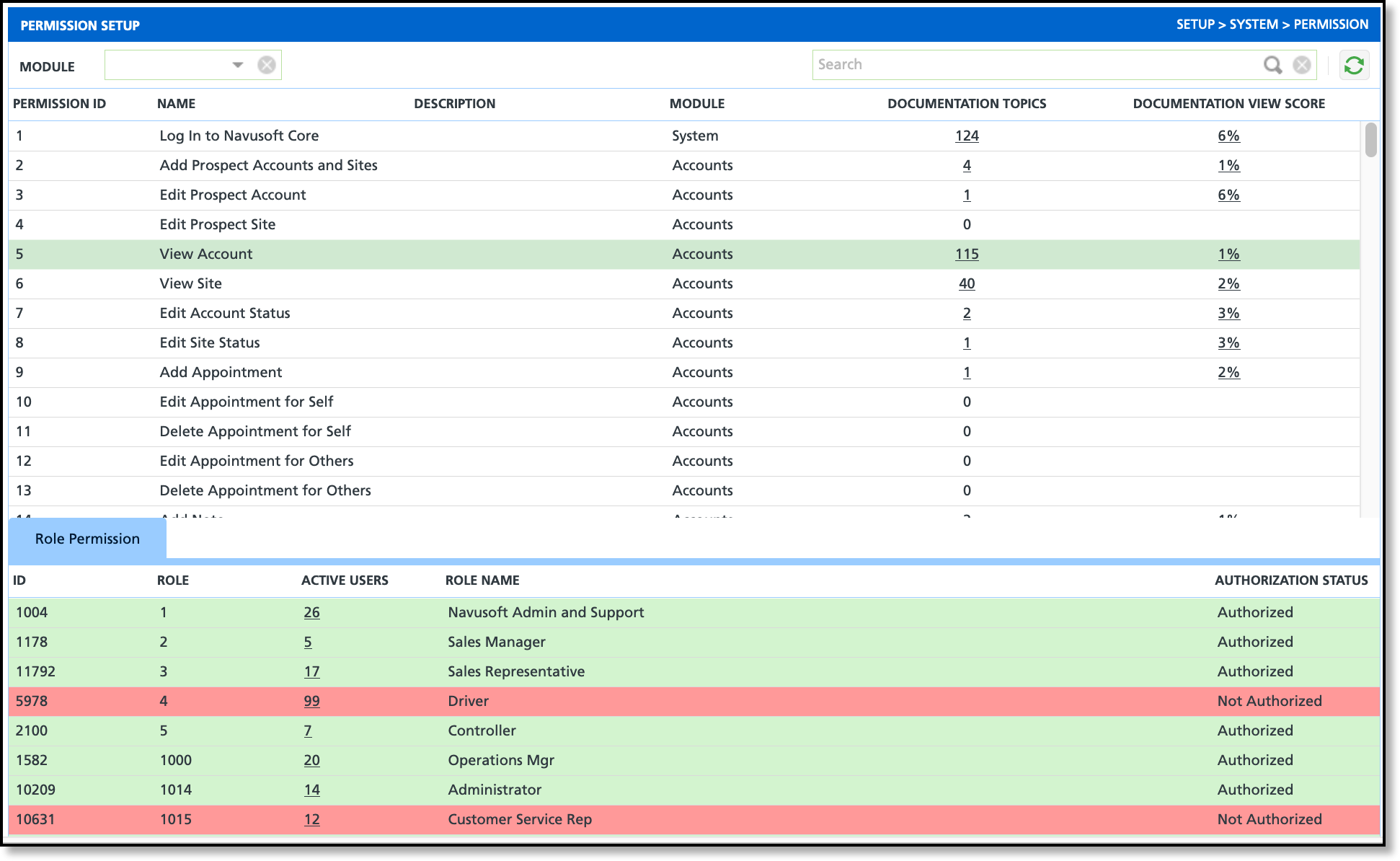
Permissions
A user must have the following permissions to use the Permission Setup screen:
| Permission ID |
Permission Name |
|
95
|
Setup Main Menu |
|
120
|
Setup \ System and Security |
|
| 489 | Add/Edit Roles and Role Permissions | Hides or displays the Role and Permission options in the Setup > System menu list. |
Field Descriptions
| Field |
Description |
| Permission ID |
The ID associated with the permission.
|
| Name |
The name of the permission and in some instances indicates the level of access the permission provides.
|
| Description |
Brief description about what user rights the permission carries.
|
| Module |
The module the permission is associated to. Permissions can be filtered by module using the Module drop down selection box in the upper left corner of the Permission Setup screen.
|
| Documentation Topics |
The total count of documentation articles related to the permission. This includes Help documentation and Release Notes.
|
| Documentation View Score |
Shows a computed percentage value that represents the proportion of documents viewed.
|
Role Permission (Tab)
While it may not be mandatory to conduct regular reviews of Role Permissions, it is recommended to periodically reassess them. This becomes particularly important when new tools and features are introduced or when operational changes occur. Periodic reassessment ensures that Role Permissions remain aligned with the evolving needs and dynamics of your internal operations, contributing to the overall security and efficiency of your team and the application.
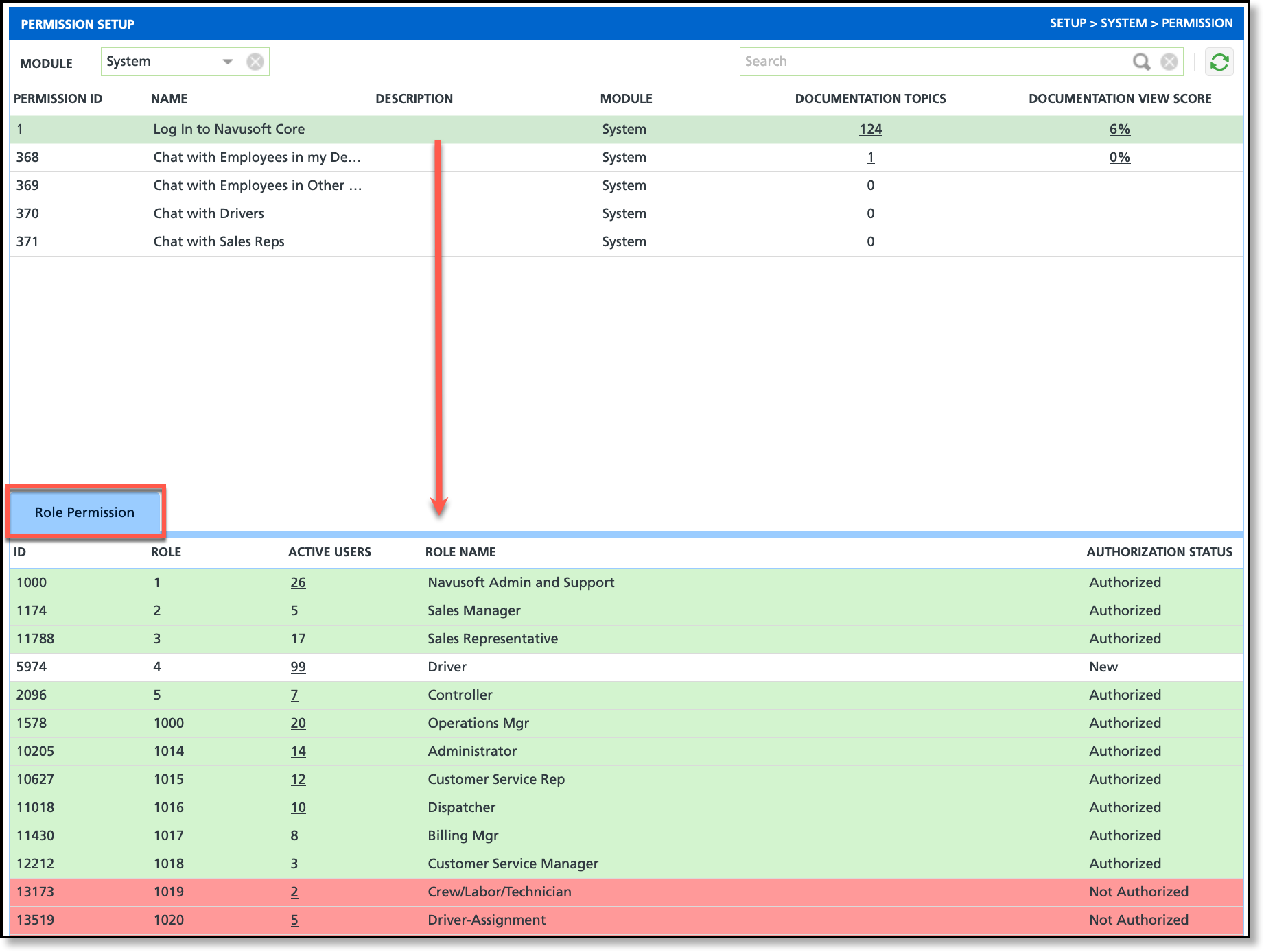
When a permission is selected, the Role Permission tab displays and lists all roles permissions can be assigned to. Roles are added and removed in Setup > System > Role.
Descriptions
| Field |
Description |
| ID |
External ID field.
|
| Role |
Displays the role's ID.
|
| Active Users |
The total count of active user accounts assigned to the role. If a permission is added to the role, all user accounts linked to the role will inherit the permission. |
| Role Name |
The name of the role.
|
| Authorization Status |
Indicates which roles the permission is authorized or not authorized in. This is also indicated by the red and green background color.
- New: Indicates recently released permissions awaiting authorization status from a system administrator, highlighted with a white background color.
- Authorized: Shows a green background color to indicate that the role does include the permission.
- Not Authorized: Shows a red background color to indicate that the role does not include the permission.
|
Add/Remove Roles From a Permission
- Select the permission from the Permission list at the top.
- Review the roles in the Role Permission tab. Click the Authorization Status column in a role to see the status options in the drop down menu.
- Select the authorization status that applies.
- Click away to save, and the system will display a popup message confirming the successful saving of the role permission.
Review Active Users
- Select the permission from the Permission list at the top.
- Select the value displayed in the Active Users column of the Role Permission grid to display a list of users.
- This is a read-only list. To remove or add users to a role, navigate to Setup > System > Role and update users from the Users tab.
Related Articles
User Security Basics
User Accounts
Role Setup
