Truck (Setup / Operations) - New RFID tag field added for Trucks (20477, 20420, 20753)
Last Modified on 03/26/2026 9:40 am PDT
A new RFID (Radio Frequency Identifier) field has been added for inventory management including trucks (internal or 3rd party) and serialized equipment. This allows tracking of trucks and serialized equipment using its associated RFID transponder tag number.
The field is not mandatory but if entered, the RFID must be unique. If a duplicate is entered, an error message is displayed requesting a unique RFID.
This change affects three areas:
Trucks
There are two areas where the addition of the RFID will be seen with respect to trucks.
Truck Setup
Within the Truck Setup tool, the RFID field will be displayed in two areas:
- As a column of data in the Truck Setup data table.
- As a field in the Add | Edit Truck screen.
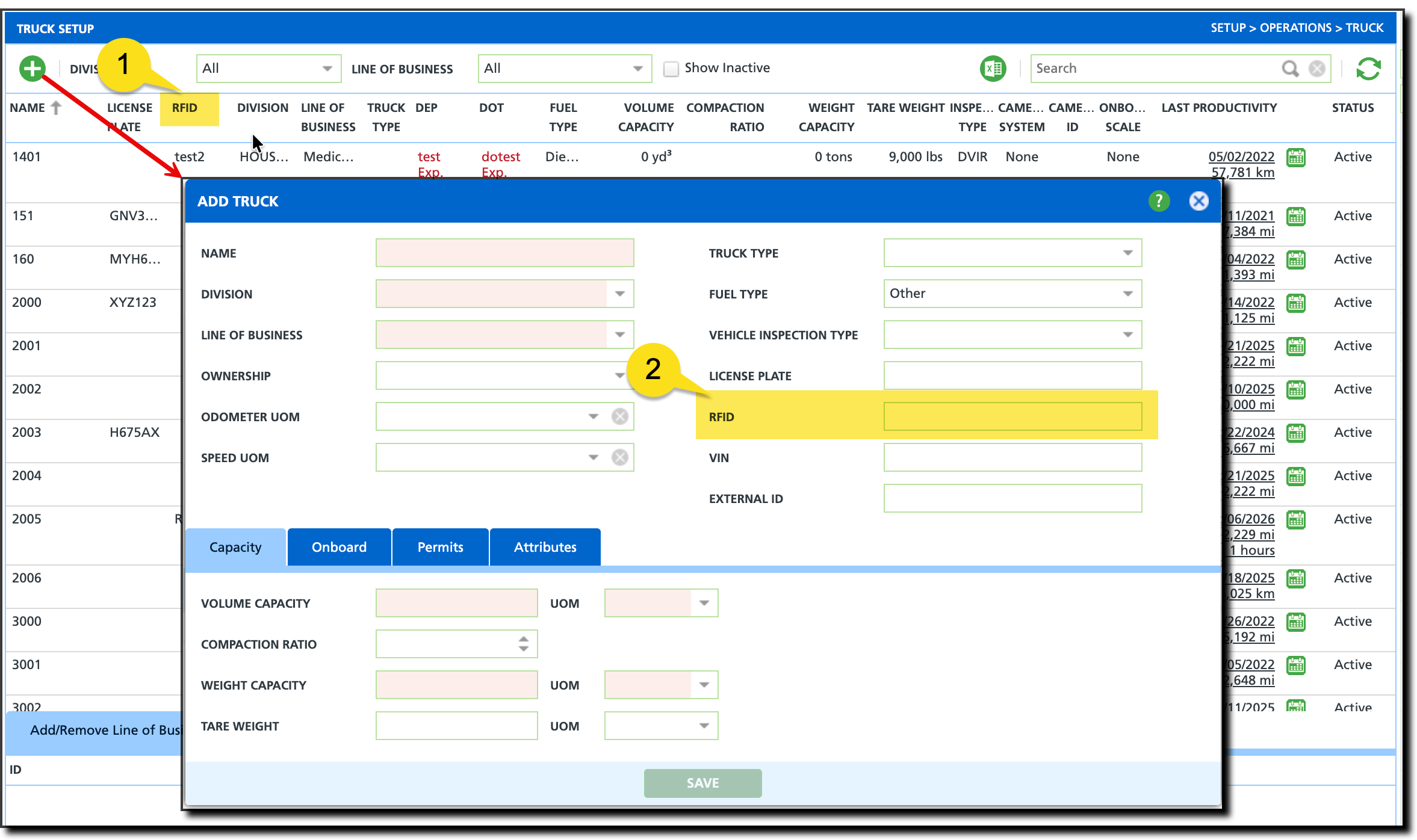
Pathway: Setup > Operations > Truck
Site Inventory [Trucks]
Within a specific account's Site Inventory, the new RFID field will display in two places:
- As a column of data in the Trucks data.
- As a field in the Add | Edit Truck screen.
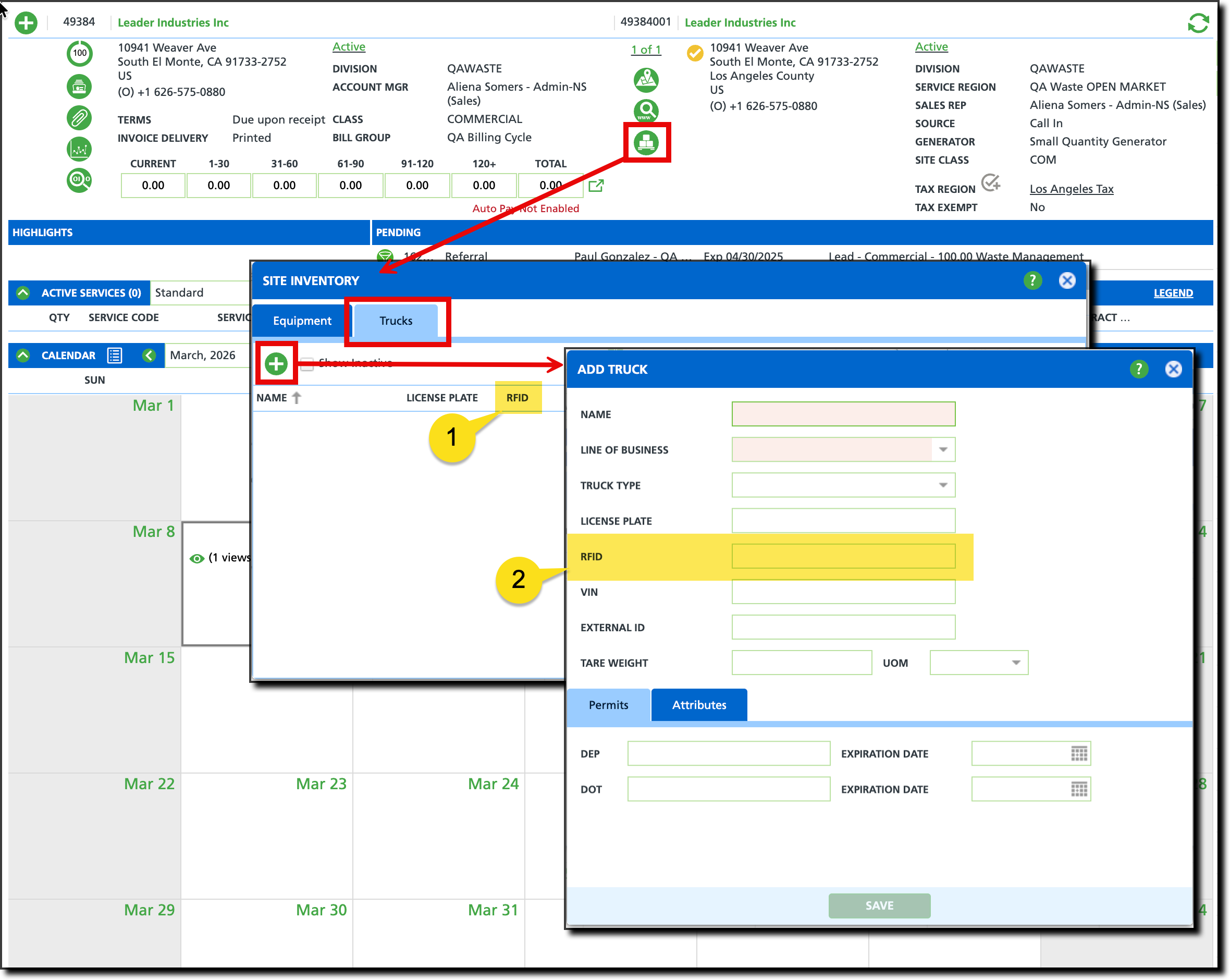
Pathway: Accounts > [Select an Account] > Display Inventory > Truck
Equipment (Serialized)
The RFID field has also been added for serialized inventory to support when a serial number and an RFID tag do not match. The RFID field is displayed below the License number in the Serial Number column on the Inventory Management view. You can now search by RFID across the Inventory Management and Customer Service grids, ensuring you can locate equipment regardless of whether a customer references an RFID or a Serial Number.
Site Inventory [Equipment]
In the Equipment tab of Site Inventory, for serialized equipment, if an RFID was provided, it will be display in two places:
- Under the License Plate number in the Serial Number column of the Equipment data.
- As a field in the Add Site Inventory screen for Equipment
- As a field in the Edit Serialized Inventory screen.
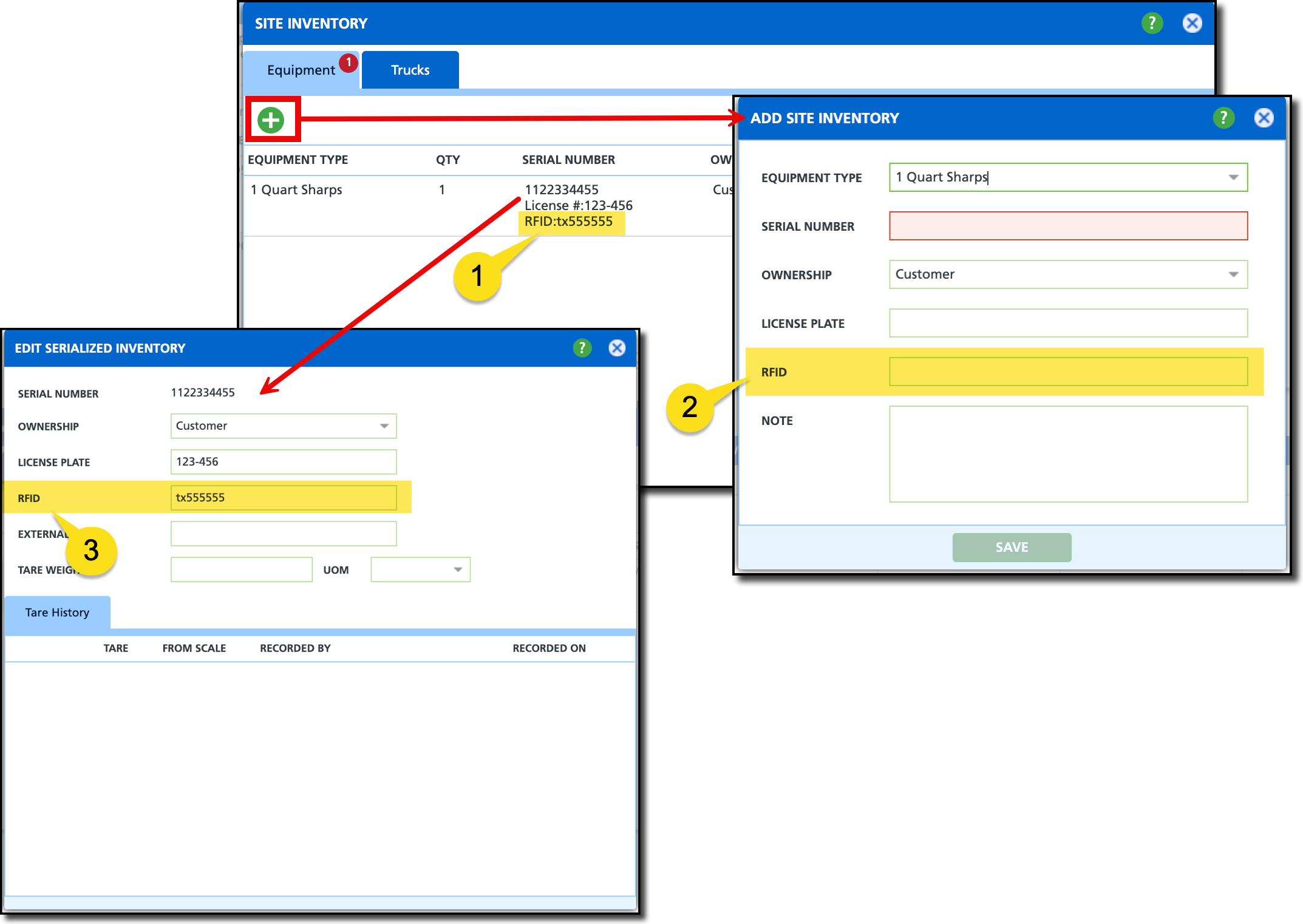
Pathway: Accounts > [Select an Account] > Display Inventory > Equipment [tab]
Inventory Management - Import
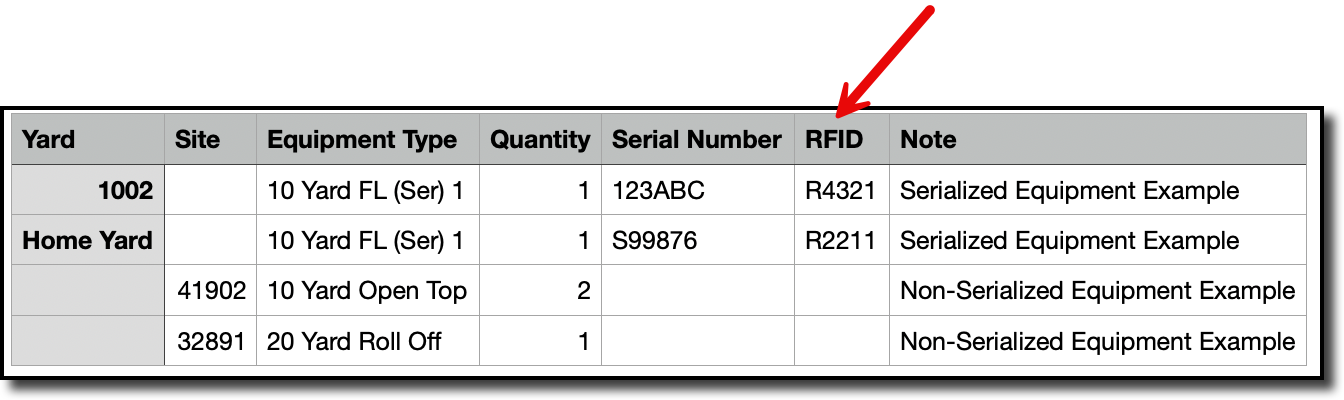
An optional RFID column has been added to the Equipment Import file requirements, allowing equipment to have a RFID tag associated with it upon initial load. The system will automatically validate that each RFID is unique and will alert you to any duplicates to ensure data integrity. If the RFID column header is missing in the import file, the import process behaves as it does today.
Position 6 in the Import Inventory layout now supports RFID tags.